Adobe Photoshop Actions for Color | Carnivale Action
by Kate Woodman
Review of Adobe Photoshop Actions for Color | Carnivale Action by Kate Woodman
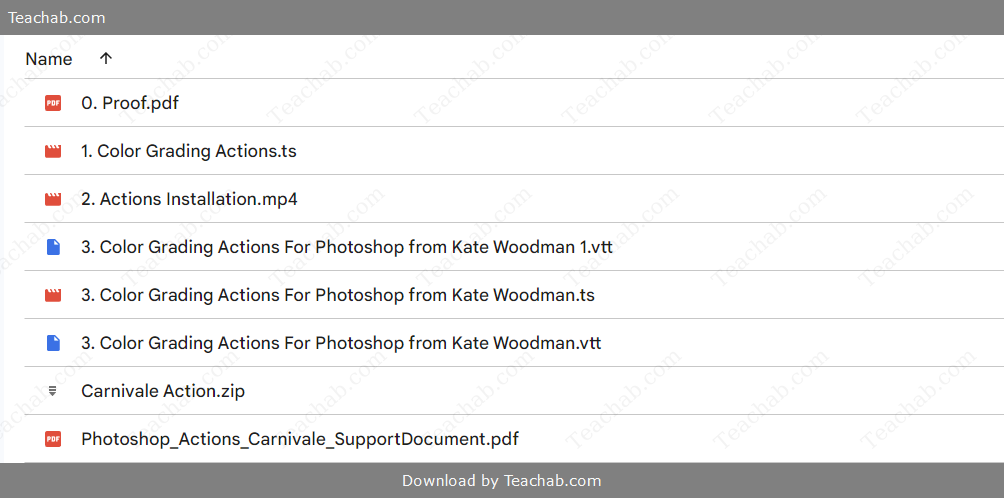
Check proof of content here:
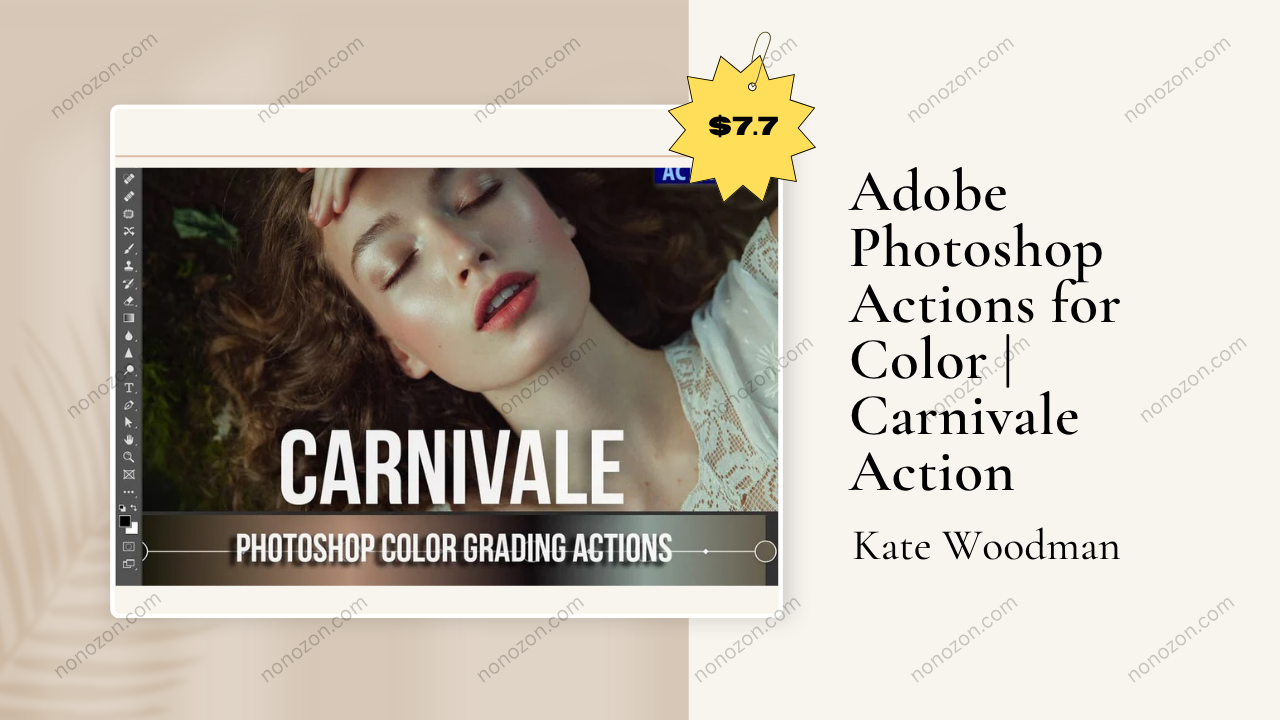
In the expansive world of digital photo editing, few tools match the creative potential of Adobe Photoshop. Among its most powerful time-saving features are actions—preset workflows that automate complex edits with a single click. One standout in this category is the Carnivale Action by renowned color artist Kate Woodman. Known for her cinematic color grading and nuanced aesthetic, Woodman’s Carnivale Action breathes new life into otherwise muted images, delivering warmth, vibrancy, and a vintage feel that resonates with emotional depth. This review explores its features, use cases, and user impressions to help determine whether it’s a worthy addition to your editing toolkit.
Carnivale is, at its essence, a creative amplifier. It turns subtle, understated images into expressive, painterly works full of character and mood. If you’ve ever wanted your photos to exude the nostalgic richness of film while still maintaining a contemporary polish, Carnivale may be exactly what you're looking for. Let's unpack what this Photoshop action has to offer.
Key Features of the Carnivale Action
The Carnivale Action offers a sophisticated toolkit tailored for artists and photographers aiming to inject character and warmth into neutral-toned images. Its primary focus is on elevating under-saturated imagery into colorful, emotionally resonant compositions. Core features include:
Targeted Color Lifts: Carnivale intelligently amplifies foundational tones—especially greens and reds—producing a rich, immersive palette without over-saturation.
Artistic Hue Shifts: Subtle tonal adjustments create a soft, dreamlike quality reminiscent of impressionist painting, ideal for storytelling.
Enhanced Luminosity: Especially effective on portraits, it brightens and deepens skin tones, giving a polished, three-dimensional effect.
Intuitive Workflow: Designed with a streamlined user experience in mind, Carnivale simplifies the editing process while still allowing for nuanced customization.
Broad Utility: While optimized for images with a neutral color base, this action remains surprisingly flexible, accommodating various genres and styles of photography.
Together, these features empower creatives to achieve stunning visual narratives with minimal technical effort.
Color Grading: Carnivale's True Strength
The heart of Carnivale lies in its ability to enhance color in a way that evokes emotion. In a world where visual storytelling is everything, the depth and warmth it adds can set an image apart.
Precision Enhancements: Carnivale allows fine-tuned adjustments that amplify natural tones without distorting realism. Greens become more vibrant in landscapes, while reds enrich skin tones and textiles.
Adaptive to Your Style: Whether your aesthetic leans toward bold editorial or soft, dreamy nostalgia, Carnivale can be modified to complement your vision. It's a tool, not a straitjacket.
Optimized for Multiple Genres: From portraits and weddings to environmental photography, Carnivale enhances key details while preserving the mood and composition of the original.
Emotional Impact: The warmth introduced by Carnivale isn't just visual—it enhances the feeling behind the photo, often making memories feel more immediate and alive.
Practical Example: Wedding photographers can use Carnivale to enhance the ambiance of a golden hour ceremony or add richness to bridal attire and floral arrangements, reinforcing the romantic tone of the moment.
In short, this action is more than just a cosmetic tool—it’s an emotional enhancer.
Instant Download Adobe Photoshop Actions for Color | Carnivale Action by Kate Woodman
Usability and Workflow Integration
One of Carnivale’s greatest strengths is how easily it fits into a busy editor’s workflow. Whether you’re just starting out or have years of experience, its design is friendly, fast, and functional.
Beginner-Friendly Design: With just a few clicks, users can apply and adjust the action, even if they’re unfamiliar with Photoshop’s deeper tools.
Layer-Based Non-Destructive Editing: All edits are done via layers, meaning your original photo remains untouched—ideal for iterative work or client revisions.
Effortless Installation: The action installs quickly and is supported by clear, step-by-step documentation provided by the creator.
Bonus Materials: Purchasing Carnivale grants access to helpful guides and tutorials that explain how to tweak the action for best results across different scenarios.
Efficiency Boost: By automating what could take 15–20 manual steps, Carnivale significantly cuts down on editing time, allowing creatives to spend more time on what matters—vision and storytelling.
Its intuitive operation encourages experimentation, making professional color work accessible to a wider audience.
Compatibility with Adobe Photoshop Versions
Compatibility is a key concern for any Photoshop add-on. Fortunately, the Carnivale Action proves to be robust across various iterations of the software.
Cross-Version Functionality: Built with flexible scripting, Carnivale performs well in most current and recent versions of Adobe Photoshop.
Settings Optimization: It’s best used in environments with standard layer capabilities enabled. Following the creator’s configuration tips ensures top-tier results.
Creative Cloud Integration: For users running the latest versions via Adobe Creative Cloud, updates are generally seamless, maintaining reliable action performance.
Testing Is Encouraged: It's always wise to trial actions on sample images across versions to avoid unexpected issues during major editing projects.
Trusted Stability: User reviews consistently praise Carnivale for its reliability and consistency across multiple devices and Photoshop builds.
This level of compatibility makes it a smart and dependable investment for long-term use.
Creative Use Cases
What sets Carnivale apart is how well it adapts to different creative environments. Its ability to elevate mood and narrative gives photographers an edge across various applications.
Events and Celebrations: Vibrant color enhancement is perfect for weddings, parties, and festivals. It adds joy and intimacy to moments you want to remember forever.
Themed or Conceptual Shoots: For storytelling or editorial projects, Carnivale’s vintage tone can create a cohesive visual narrative that feels timeless and artistic.
Fashion Photography: In editorial fashion, where emotion and aesthetic are critical, Carnivale introduces subtle warmth and glamour without stealing attention from the subject or garments.
Family and Lifestyle Portraits: Warmth, depth, and enhanced skin tones make this action ideal for capturing the emotion and closeness of everyday moments.
General Use: Any photographer who values tone and atmosphere in their work will find Carnivale a powerful companion for visual storytelling.
It’s a tool that bridges technical functionality with emotional expression.
Recreating the Vintage Look
Carnivale’s signature lies in its ability to conjure a nostalgic, filmic quality. For creatives seeking to replicate the charm of analog photography, it provides a modern solution with authentic results.
Subdued Palette: The action emulates soft, timeworn hues seen in vintage photography, invoking emotional resonance through subtle color shifts.
Grain and Texture: Optional grain effects offer a tactile, film-like finish that feels organic and raw.
Vignetting: Light fall-off around the edges draws focus toward the center, a hallmark of traditional portraiture and classic lenses.
Reduced Contrast and Highlight Bloom: Carnivale softens contrast and bright highlights, creating a faded, storybook quality.
Real-World Impact: For instance, a modern studio portrait transformed with Carnivale can look like a piece of family history, capturing both present and past in a single image.
These retro stylings give photographers the ability to produce work that feels both timeless and contemporary.
Applications for Event Photography
The world of event photography is dynamic and ever-evolving, with the need for tools that can enhance the vibrancy and emotion captured within fleeting moments. The Carnivale Action by Kate Woodman excels in providing vibrant enhancements tailored for such occasions.
- Dynamic Color Enhancement: The action breathes life into images taken during events filled with laughter and celebration. For example, when photographing a wedding, the Carnivale action can enhance the greens of the foliage in outdoor settings while ensuring the reds and purples of floral arrangements come alive with vibrancy, thus producing stunning visuals.
- Cohesive Aesthetic Across Multiple Images: Event photographers often capture hundreds of images, and ensuring a consistent look can be challenging. By applying the Carnivale action to each image, photographers may achieve a cohesive style, enhancing brand identity and storytelling.
- Efficient Workflow: Sometimes, events happen at breakneck speed, demanding rapid editing. The Carnivale action streamlines the editing process, allowing photographers to transform their images into polished works without significant time investment and helping them meet tight deadlines.
- Creating Emotional Connections: A well-edited photograph can evoke memories and feelings. By enhancing the emotional and aesthetic qualities of event images, the Carnivale action allows the essence of the moment to shine through whether it’s a couple’s first dance or the laughter of children milling about a birthday party.
- Targeted Marketing: For event photographers, using the Carnivale action can be a continuous way to align their work with a certain client demographic. By expressing this artistic style, photographers can attract clients who appreciate vibrant, energetic visuals that capture the heartbeat of special occasions.
In summary, the applications for event photography are endless with the Carnivale Action, enriching the visual storytelling aspect and allowing photographers to adhere to their artistic vision while achieving professional results.
Use in Themed Photo Sessions
The potential for creativity flourishes during themed photo sessions, where the allure of storytelling unites with visual aesthetics. The Carnivale Action enhances these sessions by adding a layer of artistry that enhances the intended atmosphere beautifully.
- Captivating Themes: Whether a whimsical fairy tale or a retro Carnival, themed sessions thrive on the essence of the story. The Carnivale action accentuates colors that tie into thematic elements, creating a strong synergy between visual storytelling and aesthetics.
- Inspirational Utilization: Photographers can utilize Carnivale's unique hue shifts to create specific moods. For instance, capturing a Halloween-themed shoot may require darker, richer colors that evoke a sense of mystery. The Carnivale action meets this challenge, adjusting colors to enhance the desired narrative.
- Expressive Faces and Characters: The action not only enriches the colors of the environment but also elevates characters by making skin tones more luminous and engaging. This ensures the subjects remain the focal point amid captivating settings.
- Enhanced Visual Storytelling: By adding vibrant hues and a dreamy quality, the Carnivale action enhances the emotive quality of themed sessions, guiding viewers towards an emotional connection with the content. The imagery begins to tell a story, highlighting elements of joy and nostalgia.
- Conclusion on Theme Utilization: Ultimately, the use of the Carnivale Action in themed photo sessions provides photographers with a palette to express their creativity while honing in on the unique elements integral to each theme. This adaptability opens doors to creative exploration and artistic expression.
Technical Aspects
The technical framework of using Adobe Photoshop actions like the Carnivale Action encompasses a myriad of factors that determine how well the action enhances and transforms images.
Performance on Different Image Types
Photoshop actions can perform differently based on various image types, and understanding these nuances is crucial for photographers looking to achieve their desired outcomes.
- Portrait Images: When applied to portraits, the Carnivale Action shines as it specifically caters to skin tones, providing enhancements that add depth and luminosity. Photographers report that the action can resurface skin imperfections while simultaneously enhancing the vibrancy without losing authenticity.
- Landscape Photography: In landscape images, the Carnivale action can elevate the natural greens of foliage and the blues of skies, creating stunning, vibrant photographs that draw viewers into the scene. It is noteworthy that adjustments may vary based on the lighting conditions captured in the original image.
- Event and Action Shots: For dynamic shots, such as children running at a birthday party or people mingling at a wedding, the Carnivale action can help to bring the energy and movement to life through its color enhancements. This adds a level of intensity that reflects the heightened emotions present during events.
- Product Photography: For product images, it’s vital to maintain clarity and accurate color representation. The Carnivale action may alter colors slightly to evoke liveliness or attract attention. However, photographers working in this area should be mindful of the flexibility required when editing.
- Image Experimentation: Ultimately, the versatility of the Carnivale action underscores the importance of testing its performance across various image types. Learning how the action responds to diverse conditions ensures that photographers can tailor their approach for the best results.
Layer Management and Customization Options
Effective layer management and customization options are paramount when applying actions in Photoshop. The Carnivale Action embraces these technical aspects to amplify the creative potential of users.
- Understanding Layer Types: The action utilizes various layer types, including adjustment layers and smart objects, that offer flexibility and control in editing. Advanced users can mix and match layers to create unique looks tailored to their artistic vision.
- Organizing Layers: Naming layers appropriately is crucial, especially when working on complex projects. Organizing layers not only helps in navigating the editing process but also makes it easier to implement changes later on, thus enabling a smoother workflow.
- Non-Destructive Editing: One of the standout features of the Carnivale action is its non-destructive nature. By using adjustment layers, photographers can preserve the integrity of the original image while making edits, ensuring that they can always revert to the unmodified state if needed.
- Layer Effects and Styles: Utilizing layer styles such as shadows, glows, or borders allows users to create dynamic results that enhance the visual impact further. This customization can help to accentuate or downplay certain aspects according to the creative direction of the project.
- Merging Layers Thoughtfully: When finished editing, merging layers intelligently can reduce file size and improve performance. However, it is essential to keep backup copies of the original layered files for future edits or adjustments.
By mastering the technical intricacies of layer management and customization, photographers can unlock the full potential of the Carnivale Action, translating their artistic visions into powerful visual presentations.
Integration with Other Tools
A comprehensive understanding of how the Carnivale Action integrates with other tools within the Adobe ecosystem can enhance a photographer’s editing experience.
- Adobe Creative Cloud Connectivity: The seamless integration of Photoshop with other Adobe applications like Lightroom, Illustrator, and InDesign allows users to streamline their creative workflow. Users can easily move assets between platforms, fostering collaborative efforts and efficiency.
- Third-Party Plugins and Extensions: Photoshop's compatibility with third-party tools broadens the scope of editing capabilities. Photographers can enhance the effectiveness of the Carnivale action by utilizing plugins designed for layer management, color grading, or special effects.
- Automation Scripts: For users looking to automate their editing processes further, employing scripts can optimize batch processing. With the inclusion of actions like Carnivale, users can automate repetitive tasks to transition smoothly between edits, saving valuable time.
- Composition and Layout Creation: Tools within Photoshop can help create stunning layouts for print or digital use. The Carnivale action can be combined with Adobe's design programs to provide complementary aesthetic adjustments across mediums.
- Social Media Ready: The integration of tools allowing for quick social media sharing can significantly enhance a photographer's ability to promote their work. Using the Carnivale action, photos can be adjusted quickly for optimal impact across platforms like Instagram or Facebook.
This interconnectedness fosters creativity and efficiency in the editing process, ensuring users can craft their images effectively while seamlessly integrating with other tools in their creative arsenal.
User Experience
The user experience of the Carnivale Action is central to its appeal, ensuring that photographers can apply its capabilities effectively while enjoying the process.
Installation Process
Installing the Carnivale Action can be a straightforward task when following these steps:
- Download the Action: Begin the process by downloading the .atn file. It's crucial to unzip the file if it comes in a compressed folder, making it accessible for use.
- Launch Photoshop: Open Adobe Photoshop on your computer to set the stage for loading the action.
- Access the Actions Panel: Navigate to Window in the top menu, then select Actions to open the Actions panel, where you can manage all installed actions.
- Load the Action: Click on the menu icon within the Actions panel and choose Load Actions, then select the unzipped .atn file. The Carnivale Action will now appear in the panel, ready for use.
- Executing the Action: To apply the action, select the layer you want to enhance and click on the action name in the panel, followed by the “Play” button. The Carnivale adjustments will be applied, allowing you to see the transformation immediately.
Many photographers find that following these detailed steps fosters a smooth user experience while ensuring they can quickly tap into the capabilities of the Carnivale Action.
Workflow Efficiency
When examining the contribution of the Carnivale action to workflow efficiency, the results speak volumes about its practical impact.
- Rapid Editing: The ability to apply color grading with just a single click significantly reduces the time photographers spend on adjustments. This time-saving approach enables them to focus more on their creative input rather than the technical intricacies.
- Consistent Results: By automating specific edits, the Carnivale action encourages consistency across images, an essential quality for photographers aiming to deliver a unified visual narrative.
- Experimentation-Friendly: The simplified process of applying the action allows photographers to experiment with different images and styles without it feeling overwhelming. This creative freedom leads to higher inspiration and output quality.
- Immediate Feedback and Adjustments: Users can see the impact of the action in real-time, enabling photographers to quickly adjust layer settings or cancel the action if it's not achieving the desired effect.
- Client Satisfaction: The swift workflow and resulting quality of images can also increase client satisfaction. For professionals working on tight timelines, delivering polished images quickly can lead to repeat business and referrals.
Overall, the efficiency gained through the Carnivale Action allows photographers to maximize their potential and enhance their productivity, making it a valuable addition to any editing workflow.
User Feedback and Testimonials
The user feedback surrounding the Carnivale Action highlights its effectiveness and satisfaction levels among photographers who utilize it:
- High Ratings: Users frequently commend the action for its easy application and stunning results. Many report achieving vibrant colors and depth in their images, with the ability to create a painterly quality that resonates with their personal style.
- Transformative Experiences: Photographers narrate transformative experiences, detailing how the Carnivale action has elevated their portraits and driven their creative visions forward. The ability to enhance skin tones and create a nostalgic atmosphere is particularly praised.
- Versatility Commended: A significant number of users highlight the action's versatility, effectively applying it across various styles including fashion, portrait, and event photography without compromising on the desired aesthetic.
- Simplicity and Satisfaction: The ease of use comes up repeatedly in testimonials, with users expressing satisfaction with a tool that can produce professional-level results without a steep learning curve. Many enjoy being able to achieve detailed edits efficiently.
- Ability to Stand Out: The unique aesthetic and rich, warm tones that the Carnivale action produces allow users to stand out in a competitive field, often helping them attract more clients searching for that specific artistic touch.
In summary, the feedback and testimonials surrounding the Carnivale Action underscore its place as a trustworthy tool for anyone dedicated to enhancing their color grading processes, revealing a broad base of satisfied users.
Comparison with Other Actions
In the saturating market of Photoshop actions, the Carnivale Action distinctly stands out while also highlighting its unique advantages over similar products.
Differentiation from Similar Products
- Aesthetic Focus: Unlike many color grading actions that cater to broad aesthetics, Carnivale is tailored specifically for achieving classic and vintage colors, often likened to the warm tones of Vanity Fair. This focused approach allows for a unique output desirable among certain clientele.
- Color Manipulation Strength: The specific strength of the Carnivale Action lies in its emphasis on greens and reds. This design provides versatility when dealing with neutral palettes that may overwhelm simpler actions that do not cater to these primary tones.
- Application Context: Actions aimed at dramatic or cinematic aesthetics often miss the warmth and charm that the Carnivale action imbues. It shines when creating inviting and nostalgic images, while others may lend themselves to different styles.
- Ease of Use for All Experience Levels: The user-friendly nature of the Carnivale action is designed for photographers of all levels. Many competing products tend to have a steeper learning curve, which can be daunting to new users.
- Artistic Brand Engagement: The capability to deliver a specific visual style enables photographers using the Carnivale action to reinforce their artistic brand. Clients looking for a particular look are more likely to gravitate toward photographers who persistently deliver cohesive aesthetics.
Overall, the Carnivale Action effectively sets itself apart through highly-targeted color grading capabilities and a commitment to producing vintage-inspired results.
Advantages Over Competitors
The Carnivale Action enjoys a host of advantages over competitors that enhance its desirability among photographic professionals.
- Warm Vintage Aesthetics: Delivering consistently warm tones allows users to create a unique signature look that resonates with audiences and evokes nostalgia a desirable quality often lacking in competing actions.
- Timeliness: The speed at which the Carnivale action operates helps users keep pace with tight deadlines. This feature can be crucial for photographers having to process images for client reviews or social media posts quickly.
- End User Satisfaction: Feedback from users underscores how productive and effective the action is for post-processing images. Satisfied customers often report that the results are consistently high-quality, further establishing the action's reliability.
- Comprehensive Support: The support and tutorial resources provided with the Carnivale action stand out among competitors. New users benefit from accessible materials that guide them through efficient application techniques.
- A Testament to Quality: The positive reception of Carnivale amongst both casual enthusiasts and professionals attests to its quality. In a crowded market, such validation is a vital differentiator when selecting tools for color grading and photography enhancement.
In examining its competitive advantages, the Carnivale Action solidifies its place as a goto option for photographers seeking to achieve exceptional results.
Pricing Strategy in Context of Other Actions
When considering a pricing strategy for the Carnivale Action, it's essential to frame it amidst similar offerings available in the market.
- Competitive Pricing: Typically ranging from approximately 500.000 to 2.300.000 VNĐ, the pricing of the Carnivale action reflects a mid-to-premium positioning in the market much akin to several established products providing color grading solutions.
- Value Bundles: Frequently available in bundles with additional actions, the Carnivale action offers not only standalone value but enhanced opportunities for investment through collections. This adds appreciable value for customers looking for comprehensive editing options.
- Quality Justification: Users often justify the cost of the action by the quality and flexibility it provides. In an ever-competitive landscape, the results achieved through the Carnivale action translate into more value for end clients, thus improving the business appeal for photographers.
- Return on Investment: The advantageous, time-saving aspects of the action can lead to increased productivity, ultimately providing a clear return on investment. When balancing the cost against the efficiency gained, users often find significant benefits.
- Market Comparisons: Comparing to other high-quality Photoshop actions, Carnivale stands in good stead as users frequently express that the action delivers transformative results with minimal effort, reinforcing its worth within the established price range.
The Carnivale Action successfully employs a strategic pricing model that reflects its quality and capabilities while offering photographers an appealing return on investment.
Tips and Tricks
To maximize the impact of the Carnivale Action, photographers can implement a range of tips and tricks that elevate their editing experience.
Maximizing the Effects of Carnivale Action
- Image Selection: Choose images that have a neutral palette but benefit from warm tones for optimal results. Avoid images that are overly saturated or extreme in color, maximizing the potential of the action.
- Pre-Action Adjustments: Adjust exposure and contrast before applying the action to enhance its effectiveness. Minor tweaks can provide the Carnivale action better leverage to create depth and luminosity in the final output.
- Layering Effects Post-Action: Use additional layer effects or other actions after running Carnivale to further customize the image and adapt to personal style. This enhances the depth and richness of the photograph.
- Selective Color Tweaks: Once the Carnivale action is applied, users can explore selective color adjustments to find the balance that resonates with their artistic vision. This ability to further refine serves as a substantial advantage.
- Utilize Tutorials: Engage with the tutorial materials included in the purchase. The detailed insights and walkthroughs provide valuable strategies for unlocking the full potential of the Carnivale action.
By integrating these tips into their workflow, photographers can ensure they maximize the transformative power of the Carnivale Action for richly impactful image outcomes.
Common Mistakes to Avoid
When utilizing Photoshop actions such as Carnivale, new users may encounter common pitfalls. Awareness of these can help in achieving optimal results.
- Insufficient Layer Management: Beginners often create too few layers, leading to rigidity. Emphasizing proper layer management can facilitate future adjustments and flexibility in editing.
- Overuse of Filters: Users may inadvertently apply too many filters or effects on top of actions like Carnivale, ultimately making images appear unnatural. Maintaining a balance is key to achieving authentic results.
- Ignoring Action Instructions: Failing to refer to available instructions or tutorials can hinder the editing process. Utilizing the guidance provided leads to a better understanding of how to leverage the tool effectively.
- Not Testing Before Major Edits: New users should test the action on sample images before applying it to significant projects. This practice allows photographers to gauge how the action interacts with their unique style and adjustments.
- Neglecting Backups: Always create backups of the original images to ensure a safeguard against unwanted changes. Not safeguarding significant photographs can lead to potential frustration during the editing process.
By avoiding these common mistakes, photographers can enjoy a smoother editing journey and achieve stellar results with the Carnivale Action.
Combining with Other Photoshop Actions
Combining the Carnivale Action with other Photoshop actions can further enhance editing capabilities. Here are strategies to consider:
- Layer in Logical Sequences: When layering actions, apply them in a way that complements each one’s purpose. For instance, starting with a base color action followed by tone correction can yield the best results.
- Utilize Adjustment Layers: Applying other actions to adjustment layers allows for non-destructive edits that can be fine-tuned post-application, leading to a flexible workflow.
- Batch Processing Mindfully: If utilizing multiple actions through batch processing, ensure they are suited for the images being processed. Different images may respond uniquely to actions based on their inherent properties.
- Maintain a Backup of Originals: Prioritize workflow preservation by saving original copies before applying new actions, allowing users to revert if changes don’t meet their expectations.
- Experiment with Various Combinations: Don’t hesitate to explore combining the Carnivale action with other actions that complement its effects such as adding textures or vignetting effects to further enrich your images uniquely.
With the understanding of how to effectively combine actions, photographers can push the boundaries of their creative possibilities, resulting in breathtaking images.
Support and Resources
One of the hallmarks of the Carnivale Action lies in its robust support and resources, which are fundamental for users in navigating its capabilities effectively.
Availability of Tutorials
- Comprehensive Learning: Kate Woodman provides access to detailed tutorials that walk users through the application process and post-edit techniques, demystifying the action's features and functionality.
- Step-by-Step Guidance: Tutorials typically follow a clear, step-by-step format, allowing users to see the action in use, enhancing comprehension and inspiring confidence.
- Various Formats: Video tutorials enrich the learning experience, presenting users with visual representations of different facets of the action's application, alongside tips shared from the creator’s experience.
- Support Resources: The resources offered also include documented insights and FAQs, providing support for specific queries users may have during installation or application.
- Engagement with Community: Involvement in broader photography communities that utilize the Carnivale action fosters shared learning opportunities, where users can exchange tips and feedback.
The availability of such educational materials underscores the commitment to quality and user experience surrounding the Carnivale Action, paving the way for successful application in various creative projects.
Community Engagement and Feedback
Community engagement plays a vital role in enriching the experience and offerings around tools like the Carnivale Action.
- User Experiences: Active community submissions often provide invaluable feedback that helps the creator enhance the action and develop additional resources users find beneficial.
- Discussion Forums: Engaging in online forums centered around photography and editing can foster interactions between users sharing tips and tricks specific to the Carnivale action, enriching everyone’s experiences.
- Encouraging Creativity: Community challenges and prompts encourage users to explore their creativity by applying the action in diverse settings, thus inspiring new uses and interpretations of the action’s capabilities.
- Showcasing Work: Users often showcase results and workflows on social media, demonstrating how they merge the Carnivale action with their photography styles. This sharing not only creates community but also offers inspiration for others.
- Feedback Loop with Developers: Users frequently request updates and new features, and engagement with the community leads developers to understand needs and desires, fostering ongoing improvements to the product.
In summary, robust community engagement enhances the user experience surrounding the Carnivale Action, empowering photographers through shared learning and collaboration, while ensuring they feel supported throughout their creative processes.
Customer Support Options
The Carnivale Action comes equipped with customer support options designed to assist users in maximizing their experience.
- Direct Support Channels: Access to direct customer support through email or chat allows users to receive timely assistance with any issues they encounter during installation or application.
- Comprehensive FAQs: Many common questions are addressed through comprehensive FAQ sections available on the action's website, helping users quickly find solutions to common queries.
- Instagram & Social Media Guidance: Engaging through social media platforms where updates and user queries are often posted creates a dynamic channel of communication and engagement around the product.
- Response Time Expectations: Quick response times to inquiries signify that customer satisfaction is prioritized, reinforcing the value of the Carnivale action through continued support.
- Follow-Up Resources: Continued support after the sale ensures users have access to updated tutorials and feature enhancements. Engaging with the customer base enriches their understanding and offers avenues for growth.
By harnessing such customer support resources, users feel equipped to explore and enjoy the full capabilities of the Carnivale Action in their photographic endeavors.
Conclusion
In the colorful and captivating world of photography, the Carnivale Action by Kate Woodman emerges as a formidable tool for color grading that transcends mere aesthetics. Its capacity to enhance the vibrancy and warmth of neutral palettes makes it an invaluable asset for photographers and designers seeking to create stunning imagery. Whether you aim to evoke nostalgia, energy, or artistic originality, this action delivers an inviting richness and depth that cannot be overlooked.
With easy usability, extensive support resources, and powerful creative applications, the Carnivale action stands out amidst a competitive landscape. By leveraging its strengths and understanding its technical acumen, photographers can not only streamline their workflows but also enhance their artistic expression beautifully. If you're searching for a means to elevate your color grading techniques while enjoying the editing process, investing in the Carnivale Action could well be your ticket to a more vibrant and transformative photographic experience.
Related products



Editing Masterclass for Wedding Photographers - Reflections Academy
by Danilo and Sharon
$1.200.00
$59.50