Adobe Photoshop Actions for Color | Copper Action
by Kate Woodman
Review of Adobe Photoshop Actions for Color | Copper Action by Kate Woodman
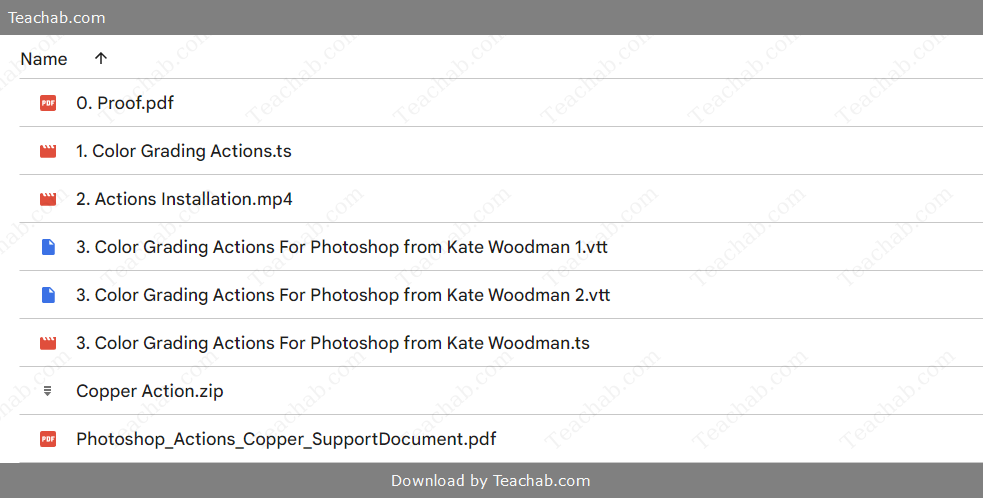
Check proof of content here:
Adobe Photoshop remains a powerhouse in the digital creative industry, widely celebrated for its flexibility and depth. One of its most versatile features—Photoshop actions—enables users to apply complex edits with just a few clicks. Among these, Kate Woodman’s Copper Action stands out as a favorite for photographers aiming to inject a cinematic, subdued warmth into their work.
Designed to evoke nostalgic and emotional undertones, the Copper Action excels at transforming images with deep, harmonious copper hues while minimizing sharp contrasts and brightness. This review explores its features, intended user base, installation and performance, and how it stands in the broader world of Photoshop editing tools.
Features of Copper Action
Kate Woodman’s Copper Action delivers a suite of enhancements tailored for storytelling through visual tone. Below are its core components:
1. Contrast Softening
Rather than boosting contrast, this action softens it, creating a flatter tonal range. This leads to gentler transitions between highlights and shadows—ideal for mood-driven scenes with a dreamy, timeless feel.
2. Lowered Luminosity
This action also dials down brightness, which helps maintain nuanced image details while contributing to a cinematic ambiance. It’s particularly effective in producing the soft, shadow-rich look often associated with dramatic or contemplative imagery.
3. Unified Color Palette
A defining trait of Copper Action is its cohesive color grading, blending tones into warm, coppery shades. This yields a consistent aesthetic that brings harmony to multi-color compositions, amplifying visual storytelling.
4. Preserved Details
Even with the softened dynamic, Copper Action ensures image clarity remains intact. Fine textures and subtle elements retain their presence, giving images a tactile, finished quality.
5. Broad Compatibility and Simplicity
This action performs well across multiple Photoshop versions and suits a wide range of users—from hobbyists to professional visual artists. It works exceptionally well in portraiture, moody landscapes, and conceptual photo art.
These attributes collectively make Copper Action a must-have for creatives favoring softness, emotion, and atmospheric richness in their visual narratives.
Contrast Reduction Techniques
The reduction of contrast plays a central role in defining the distinctive aesthetic of the Copper Action, setting it apart from more traditional editing methods. While many photo editing techniques and tutorials prioritize increasing contrast to enhance vibrancy and visual punch, the Copper Action deliberately takes a different path—ideal for those aiming to convey nostalgia, softness, or introspection.
To visualize the difference, imagine high-contrast images as dramatic mountain peaks under a crisp, blue sky—bold, vivid, and sharply defined. In contrast, the low-contrast look produced by the Copper Action is more like a serene landscape of rolling hills—subtle, flowing, and emotionally resonant. This analogy captures how the action reinterprets visual intensity into a more subdued and poetic experience.
The effectiveness of contrast reduction also depends heavily on the original lighting and exposure of the photograph. For instance, images captured in stark or overly bright conditions often respond exceptionally well to the Copper Action’s toning, softening harsh highlights and creating a more harmonious, painterly appearance. Many photographers report that applying the action to high-contrast scenes yields a dramatic shift in emotional tone, introducing narrative depth and a gentle, amber-tinted ambiance.
Practically speaking, the shift from sharp highlights to mellow transitions has been widely praised for its ability to evoke warmth and reminiscence. It's not just about muting contrast—it's about redefining visual tension to support deeper emotional storytelling within an image.
Instant Download Adobe Photoshop Actions for Color | Copper Action by Kate Woodman

Dynamic Range Enhancement
Dynamic range is a cornerstone of photographic excellence, defining the relationship between the brightest highlights and the deepest shadows within an image. The Copper Action is particularly effective in refining this range, fostering smoother gradations and reducing harsh tonal shifts.
To illustrate, imagine a sunset where both the blazing sun and the subtle silhouettes of the landscape coexist in harmony. Rather than exaggerating contrast, the Copper Action gently compresses tonal extremes, creating visuals that draw the viewer into the story with a quiet, compelling pull. This subtle compression doesn’t diminish detail—instead, it invites interpretation and emotional engagement.
Functionally, the Copper Action provides a powerful toolkit for dynamic range control across a variety of lighting conditions. Photographers often note how it lifts shadow detail and tempers highlight intensity, breathing life into images that may initially seem flat or lacking texture. This refined handling of tonal balance allows for a fuller, richer representation of the scene—highlighting the nuances that might otherwise be lost.
Consistently, users report enthusiastic responses from colleagues and clients alike, noting how their Copper-enhanced images stand out for their emotional clarity and depth. By orchestrating a more harmonious range between light and dark, the Copper Action delivers images with lasting visual impact—evocative, balanced, and artistically resonant.
Color Tone Unification
A defining strength of the Copper Action lies in its ability to unify color tones, transforming images with a graceful shift toward warm copper and brown hues. This capability appeals especially to photographers striving for visual harmony and a classic, timeless look.
Imagine a painter seamlessly blending colors on a canvas—where each hue gently melts into the next without abrupt breaks. That’s the essence of what the Copper Action delivers: a smoothing of color transitions that evokes the elegance of vintage photography, where no single color dominates but instead contributes to a cohesive whole.
This tonal cohesion proves especially useful in images with diverse color schemes. When faced with busy or clashing palettes, the action subtly aligns hues toward a consistent aesthetic direction. A portrait featuring multiple clothing colors, for instance, becomes a visually soothing image in which the subject remains the clear focal point, supported by a muted background of warm earth tones.
While other editing tools provide basic color grading capabilities, few offer the same richness or subtlety as the Copper Action. Photographers often highlight how its natural tonal blending fosters a nostalgic or romantic feel—an asset when storytelling through imagery. Its smooth, intuitive transitions are praised for their ability to enhance emotional resonance without over-editing.
In conclusion, the Copper Action’s approach to color unification offers a refined artistic touch, ideal for creators who prefer a soft, impressionistic aesthetic. Its ability to draw out warmth, sentiment, and stylistic consistency makes it an essential tool for photographers who value emotional depth and timeless beauty in their work.
Target Audience for Copper Action
Copper Action is tailored for creatives who seek to convey emotion, atmosphere, and depth in their work. Here are the primary users who would benefit most:
1. Professional Photographers
Experienced photographers in editorial, portrait, or fine art spaces will appreciate the artistic control this action offers. It enhances their ability to deliver compelling imagery with a consistent tone.
2. Hobbyists and New Photographers
Beginners exploring photography and post-processing find the Copper Action to be an accessible yet impactful way to elevate their images. It encourages experimentation while teaching the value of mood and tonal balance.
3. Emotion-Driven Visual Artists
Artists focused on storytelling and mood—whether in personal projects or conceptual shoots—benefit from how this action reshapes tone and shadow for emotional effect.
4. Photoshop-Based Creators
Digital artists and designers who frequently work in Photoshop will find this action useful for social media graphics, branding visuals, or atmospheric composites.
5. Photography Educators and Students
As a teaching tool, the Copper Action offers students insight into advanced editing techniques like dynamic range compression and cinematic color grading—without the complexity of manual adjustments.
Photographers Specializing in Dark Imagery
Those who work within the realm of moody or low-light photography form a key audience for the Copper Action. Artists in genres like portraiture, fine art, and editorial fashion often rely heavily on the nuanced interplay of shadows, subdued light, and rich tones to communicate emotion—and this is precisely where the Copper Action shines.
For these creators, the action represents a powerful enhancement tool. Its ability to reduce stark contrast and lower brightness levels works harmoniously with their intent to evoke deeper, more complex moods. With just a few adjustments, photographers can maintain the storytelling integrity of an image while guiding the viewer through an atmosphere of introspection and emotional subtlety.
Take, for example, a photographer shooting in a naturally dim interior or at dusk. Using the Copper Action, they can delicately mute harsh highlights and introduce a vintage softness that adds narrative depth without compromising clarity. The resulting image doesn’t just depict—it emotes, pulling the viewer into the scene through warmth and tonal harmony.
Consistency is another critical concern for dark imagery specialists. Applying the Copper Action uniformly across a series helps establish a recognizable visual language. Whether capturing stark studio shots or natural low-light portraits, the unified aesthetic ensures the photographer’s voice remains distinct and memorable.
In essence, for professionals driven by atmosphere and nuance, the Copper Action delivers both artistry and efficiency—an indispensable companion in crafting visually cohesive and emotionally resonant bodies of work.
Portrait and Fashion Photographers
Portrait and fashion artists also make up a significant portion of Copper Action users, thanks to the action’s ability to marry elegance with emotional depth. These photographers often pursue visual storytelling that balances technical excellence with a warm, inviting style—and this tool helps bring that vision to life.
In portrait photography, the Copper Action’s rich copper hues and softened contrast lend a flattering glow to skin tones, allowing subjects to appear vibrant yet natural. Especially when working with cluttered or textured backgrounds, the action subtly reduces distractions, ensuring the viewer’s focus remains on facial expression and form.
In fashion imagery, where presentation and mood must align perfectly, the Copper Action provides a golden opportunity. Picture a lookbook or editorial styled for autumn—the action gently enhances textiles, enriches earthy tones, and adds visual weight to even the most minimal garments. Photographers frequently note that their styled shots gain a luxurious, polished finish with minimal effort.
Speed is also a major asset in fashion workflows. With deadlines tight and visual branding critical, the one-click ease of the Copper Action has been widely praised. It dramatically shortens post-production time, allowing creatives to maintain stylistic cohesion without compromising on quality or creative freedom.
In summary, both portrait and fashion photographers are drawn to the Copper Action for its reliable performance and artistic boost. It simplifies post-processing while elevating visual impact—ideal for professionals who need to produce stunning, brand-consistent work that resonates with modern audiences.
Digital Artists and Editors
Digital artists and photo editors alike derive substantial benefit from the Copper Action, incorporating it into their creative workflows to elevate visual impact. In a world where compelling visuals drive engagement, the ability to convey emotion through refined color tones has become essential.
For digital artists, the Copper Action encourages creative exploration. Applying it to digital illustrations or concept art introduces a tactile, photographic quality to otherwise synthetic work. For instance, a designer crafting a surreal landscape or moody character study can use the warm copper hues to build atmospheric depth, adding layers of meaning and richness not easily achieved without advanced techniques.
Editors, on the other hand, value how the action can revitalize existing images. Whether working with underwhelming stock content or raw brand visuals, the Copper Action acts as a transformative tool—infusing life, cohesion, and mood into assets that may otherwise feel flat or inconsistent. The ability to achieve this effect quickly is particularly useful for high-volume projects such as social media graphics, web content, and branded campaigns.
One standout feature frequently praised is the action’s non-destructive workflow. Artists and editors can apply its effects while preserving the integrity of the original image, giving them freedom to experiment with different outcomes or revert changes without starting over. This flexibility is a huge plus for creators balancing quality with creative risk-taking.
Ultimately, for those working across digital mediums, the Copper Action is more than a stylistic filter—it’s a versatile ally in both creative expression and production efficiency, helping artists and editors alike deliver visually cohesive and emotionally resonant results.
Installation Process for Copper Action
Installing the Copper Action by Kate Woodman in Adobe Photoshop is a straightforward process that allows users to integrate it into their editing workflow effortlessly. Below is a concise overview of the installation procedure, ensuring that users can begin utilizing this powerful tool without hassle.
Step-by-Step Installation Guide
- Download the Copper Action File: Obtain the Copper Action file, typically in the format of a .atn file. Make sure to unzip it if it was bundled in a compressed file format like .zip.
- Open Adobe Photoshop: Launch Adobe Photoshop on your computer.
- Access the Actions Panel: Click on Window in the top menu, then select Actions to open the Actions panel.
- Load the Copper Action: Locate the Actions panel’s menu icon (often depicted as three horizontal lines) in the upper right corner and click it. Select Load Actions… from the dropdown list, and navigate to where you saved the Copper Action .atn file. Choose the file and click Open.
- Confirm Installation: Upon loading, the Copper Action should appear in the Actions panel either independently or within a folder of actions, depending on how it’s structured.
- Applying the Action: Open the image you want to edit in Photoshop. Select the Copper Action from the Actions panel and click the Play button at the bottom to apply the effect.
- Adjust the Results (Optional): If desired, make adjustments by accessing the stacked steps within the action from the panel, allowing for customized settings to fine-tune the outcome.
- Save Your Work: After you’ve finished applying and adjusting the effect to your liking, save your edited image via File > Save As to preserve changes while maintaining the original image.
By following these straightforward steps, users can quickly implement the Copper Action within their Photoshop projects, enhancing their image editing capabilities and artistic expression.
Troubleshooting Common Installation Issues
Even with the simplicity of the installation process, some users may encounter common installation issues when integrating the Copper Action into Photoshop. Here are a few troubleshooting tips that can help resolve these concerns efficiently:
- Compatibility Check: Verify that you are using a compatible version of Adobe Photoshop. The Copper Action is designed to work with recent software versions, so ensure your system meets the requirements outlined by the action creator.
- Correct Installation Method: Remember that you must load the action file properly. Open the Actions panel, click the menu icon, and select “Load Actions” to choose the Copper Action file from your saved location.
- Creating a New Action Set: If the action doesn’t appear, try creating a new action set by choosing “New Action Set” from the Actions panel menu and then load the Copper Action into this fresh set.
- Resetting the Actions Panel: If problems persist even after loading, resetting the Actions panel can help. Click the menu icon and choose “Reset Actions” to refresh the panel.
- Photoshop Preferences: Resetting Photoshop preferences altogether can sometimes rectify issues. Specifically, hold down Alt+Control+Shift (Windows) or Option+Command+Shift (Mac) just after launching Photoshop, confirming when prompted to revert to factory settings.
By following these troubleshooting strategies, users can ensure a smooth installation for the Copper Action and quickly dive into their creative editing without interruptions.
Setting Up for Optimal Use
To maximize the potential of the Copper Action during use, photographers and artists should consider a few essential practices to prepare their images and set themselves up for the best results:
- Image Preparation: Confirm that images are well-organized, with adjustments made to exposure and cropping prior to applying the Copper Action. Since the action is optimal for darker images, adjustments may be necessary beforehand to achieve the best results.
- Non-Destructive Workflow: Utilize adjustment layers when applying the action to retain the original image. This flexibility allows for easy tweaks to the applied effects without compromising image quality.
- Monitor Calibration: Ensure that monitors are calibrated for accurate color representation. This step is vital as the Copper Action significantly alters colors, and an uncalibrated screen can lead to misleading visual outcomes.
- Experimentation: After applying the action, feel free to manipulate various layer properties to customize the final effect. Adjust opacity, blending modes, and layer styles to achieve results that resonate with personal vision.
- Backup Strategy: Work on duplicates of image files or keep original backups to prevent data loss. This approach will allow for easy comparisons and safeguard against undesired alterations.
By adopting these strategies, users can derive optimal performance from the Copper Action and enhance their editing experience while achieving impactful visuals.
Performance Analysis
The Copper Action by Kate Woodman not only simplifies the color grading process but also delivers impressive results tailored for darker imagery. Analyzing its performance reveals several factors that contribute to its effectiveness and usability within Adobe Photoshop, making it a worthy addition for photographers.
Layer Structure and Organization
The Copper Action is strategically structured within the greater context of Photoshop actions developed by Kate Woodman. Each action in her collection, including offerings such as Rainforest, Rust, and Carnival, organizes layers with clarity. This thoughtful configuration empowers users to access specific adjustments easily, allowing for fine-tuning without compromising the original tone or intent of the photograph.
Photographers appreciate that such a structured layer management system facilitates batch processing. By applying the Copper Action across a series of images, users achieve cohesive tonal quality, which is essential when producing a harmonious collection of images for client work or artistic portfolios. The intuitive layer organization ensures ease of navigation through the edits, contributing to an efficient editing experience.
Speed and Efficiency During Use
The Copper Action excels in its design aimed at streamlining the color grading process. Users can achieve high-quality results with minimal effort, bypassing the lengthy manual adjustments that traditional editing often entails. Many reports from users indicate that actions like the Copper Action produce a cohesive look effortlessly, markedly enhancing productivity in workflows.
From anecdotal evidence, creatives consistently demonstrate that applying the Copper Action significantly reduces the time required to edit photographs while simultaneously maintaining a high standard of quality. This time efficiency proves invaluable for professionals in fast-paced environments, allowing them to manage multiple projects with relative ease without sacrificing their distinctive style.
Compatibility with Other Actions
Another noteworthy attribute of the Copper Action is its compatibility with other Photoshop actions. Users have frequently remarked on how seamlessly it integrates with additional color grading parameters, enabling photographers to layer multiple effects without clash or conflict.
Such compatibility allows for personalized results that resonate with the user's aesthetic. For instance, it's common practice to blend the Copper Action with black-and-white actions to create a hybrid effect that embodies both richness in tone and striking simplicity in contrast. This versatility opens avenues for creativity that are essential in standing out within the competitive landscape of digital imaging.
In conclusion, the performance analysis of the Copper Action indicates that it’s an effective tool not only for expediting the color grading process but also for enhancing the aesthetic quality of darker images through a comprehensive and user-centric design.
Comparison with Other Photoshop Actions
As the photography world continues to evolve, it's essential to evaluate how the Copper Action compares with other available actions aimed at color grading in Adobe Photoshop. By exploring aspects such as visual impact, usability, and versatility, we can discern its unique position within the market.
Copper vs. Other Color Grading Actions
When assessing visual impact, the Copper Action's strength lies in its ability to impart warm, earthy tones that enhance images with a vintage or moody appeal. This creates a captivating atmosphere suitable for genres such as portrait and landscape photography alike. Comparing this with other actions, more vibrant or saturated options such as those channeling bold cinematic looks may better serve different aesthetic goals but fall short of the cohesive warmth offered by Copper.
In terms of ease of use, the Copper Action shines as a go-to option for users seeking professional results without time-consuming adjustments. Its single-click application makes it accessible for novices or those under time constraints, shifting from labor-intensive routines to an efficient editing strategy. Conversely, other color grading actions often require multiple adjustments across layers, potentially deterring users looking for efficiency.
Versatility emerges as a distinguishing factor, as the Copper Action specifically targets darker imagery. While other actions may present broader stylistic versatility, they might lack the tailored effectiveness for moods that Copper captures so well. This segmenting of focus ensures that Copper action remains appealing for users pursuing specific styles while requiring less versatility.
Unique Selling Points of Copper Action
The Copper Action subtly stands out in the crowded field of Photoshop actions through its unique selling points, which cater to a niche landscape in image editing. Here are some important aspects that solidify its position:
- Cohesive Vintage Aesthetic: The action’s ability to unify colors toward brown and copper tones creates an undeniable vintage warmth that is highly sought after by photographers aiming for a nostalgic feel.
- User-Focused and Accessible: Its straightforward installation and ease of use empower a broad range of users, from beginners to seasoned professionals, who can quickly enhance their images without an advanced understanding of editing techniques.
- Non-Destructive Editing: As a non-destructive action, the Copper Action allows users to apply changes while preserving the original image quality. This characteristic offers flexibility and control, especially beneficial for artists who want to experiment with different effects.
- Effective for Specific Genres: Tailored for darker and moodier aesthetics, the Copper Action fills a unique niche, making it an excellent choice for photographers dedicated to exploring melancholic and emotionally rich expressions through their work.
- Support and Resources: Kate Woodman provides tutorials and support that enhance user understanding of the action's application. This nurturing approach inspires users to utilize the action creatively, empowering their editing processes.
Overall, these unique selling points contribute significantly to the appeal of the Copper Action, ensuring individuals find value in its specialized offerings tailored to their artistic vision.
User Preferences and Recommendations
Unsurprisingly, user preferences regarding the Copper Action overwhelmingly reflect a positive outlook on its effectiveness in enhancing darker imagery. Photographers who have integrated this action into their workflow often emphasize its efficiency and the high-quality results it delivers, resulting in cohesive aesthetics that resonate with viewers.
Feedback typically highlights how Copper Action transforms images effortlessly, enriching the emotional depth of compositions while retaining the original essence. Users also appreciate the action's ability to cater to specific genres, providing recommendations that align with its stylistic capabilities.
In many reviews, users recommend the Copper Action primarily to photographers specializing in dark and moody aesthetics, as well as those exploring nostalgic or vintage themes. Enthusiasts appreciate how the action aligns with their artistic goals, allowing them to fine-tune both color and detail in ways that preserve narrative elements without overwhelming their images.
Moreover, for those new to photography, the Copper Action serves as an ideal introduction to effective color grading techniques. The seamless process of application proves pivotal in fostering confidence and creativity, encouraging users to explore this essential tool further.
In summary, the Copper Action resonates positively with its users and stands out for its effectiveness in implementing warm, vintage tones while enriching the emotional resonance characteristic of dark imagery. Strong recommendations reinforce its position as an essential asset in the portfolios of photographers and digital artists.
User Experience and Feedback
The user experience surrounding the Copper Action by Kate Woodman reflects a high level of satisfaction found among photographers and digital artists leveraging the action for sophisticated color grading in their works. Various testimonials emphasize how effectively the action meets creative needs.
Common User Testimonials
Photographers consistently share insights revealing that the Copper Action provides an intuitive and accessible means to achieve a distinctive look. Users frequently highlight how the action simplifies the color grading process, streamlining workflows when handling multiple images.
A common theme among testimonials revolves around the ability of the Copper Action to evoke a classic, vintage atmosphere within photographs. Users describe their excitement using the action on a range of subjects, from portraiture to landscapes, noting that each application results in a nostalgic appeal that resonates with audiences.
Moreover, many users appreciate the instructional materials available online, including tutorial videos and written guides. These resources help newer users understand how to harness the action's capabilities, fostering confidence in their editing process while encouraging exploration of creative possibilities.
Overall, the feedback reveals that the Copper Action excels in user experience, facilitating a creative journey while enhancing the emotional depth of images.
Case Studies of Successful Projects
To gain deeper insights into the effective implementation of the Copper Action, several successful project case studies highlight users harnessing its capabilities in distinct contexts.
- Emotive Portrait Series: A photographer specializing in portraits utilized the Copper Action across a series of images featuring subjects in contemplative poses. The refined aesthetic brought warmth to each image, enhancing the connection between the models and viewers. The photographer reported substantial increase in engagement on social channels attributed to the nostalgic quality introduced by the action.
- Fashion Campaign: Another user, working in fashion photography, applied the Copper Action to finalize a campaign designed around autumn hues and textures. The warm tones perfectly complemented the clothing, creating a cohesive collection that showcased the styles beautifully. The action allowed for quick iterations between multiple images while maintaining a consistent aesthetic that the brand sought.
- Artistic Digital Projects: A digital artist incorporated the Copper Action into a multimedia project, marrying photography and digital painting. The action’s warm tones enhanced the visual narrative, contributing to thematic storytelling. Audience feedback reflected strong appreciation for the nostalgic feeling conveyed through the work, emphasizing the action's impact on both digital and photographic forms.
These case studies exemplify the action's versatility, showcasing successful applications that not only achieve the intended emotional resonance but also enhance the visual storytelling capabilities inherent in photography and digital art.
Community Support and Resources
The community surrounding the Copper Action, as well as broader photography and editing communities, contributes to user support and enhances the overall experience. Online forums, social media groups, and dedicated instructional resources offer valuable assistance.
- Supportive Forums: Photographers share their results and editing techniques using the Copper Action in online forums where they connect with like-minded enthusiasts. These platforms foster collaboration, allowing users to exchange ideas and provide feedback, creating an encouraging atmosphere for growth.
- Tutorials and Guides: Tutorials specifically focusing on the Copper Action are readily available across platforms like YouTube or individual blogs. Users frequently cite these resources as instrumental in their understanding of the action’s applications, lighting conditions, and color balance necessary for maximizing its potential.
- Learning Outcomes: Engaging in community discourse encourages users to explore new applications for the Copper Action, leading to innovative integrations into their projects. Shared experiences amplify user knowledge, inspiring new practices and fostering creativity among diverse audiences.
Ultimately, the community support and resources surrounding the Copper Action reinforce users’ confidence in utilizing it effectively. By sharing techniques and celebrating successes, this collaborative environment emphasises the importance of artistic growth for photographers and digital artists.
Best Practices for Using Copper Action
To harness the full potential of the Copper Action, users should consider employing several best practices that optimize the action's impact while streamlining their workflow.
Tips for Maximizing Results
- Understand the Action's Purpose: The Copper Action is inherently designed for images that benefit from deep, warm tones. Understanding its utility will assist users in choosing the right images for application, ensuring coherence between the action's strengths and the desired outcomes.
- Optimize Image Selection: Test the Copper Action on images known for their rich textures or subtle color palettes. It's best applied to images that are more muted, as the action can struggle to deliver desired results on highly saturated pictures.
- Layering Techniques: As the Copper Action operates non-destructively, applying it as a separate layer allows for greater control. Users should experiment with layer opacity and masks to selectively refine the action’s effect without losing image integrity.
- Combining Actions: Leverage the Copper Action with other Photoshop actions to achieve more layered and intricate aesthetics. Combining diverse effects allows for greater customization and may produce striking results tailored to the personal vision.
- Fine-Tuning Settings: After applying the action, users should utilize adjustment layers like Curves or Hue/Saturation to make additional refinements in line with their creative intent.
- Experiment with Lighting Conditions: Investigating how the Copper Action interacts with images taken in different lighting conditions aids user understanding of its versatility, enabling creative exploration that conveys desired emotions.
By incorporating these tips into their workflow, users can maximize the effectiveness of the Copper Action, producing visually compelling images that capture their artistic vision and resonate with audiences.
Suggested Project Types
The Copper Action finds resonance across several project types, proving to be an invaluable asset in image editing. Here are some suggested project types where the action can be effectively employed:
- Themed Photographic Series: For photographers crafting series centered around specific themes such as autumn, nostalgia, or emotional introspection applying the Copper Action can help create a unified visual narrative.
- Portrait Editing: Portrait photographers seeking warm tones to enhance skin while illuminating emotional depth could benefit immensely from the Copper Action’s application across individual headshots or family portraits.
- Fashion Photography: The action's ability to complement warm hues can yield captivating results in editorial shoots, showcasing clothing designs against rich, atmospheric backdrops that elevate visual interest.
- Artistic Cinematic Projects: Digital artists looking to create striking visuals might consider layering the Copper Action with other effects, producing graphics that evoke classic artwork or film styles.
- Social Media Content Creation: Influencers and marketers can leverage the Copper Action to prepare eye-catching images that convey a warm, inviting feel tailored toward brand identity.
Through these examples, it’s evident that the Copper Action possesses a breadth of applications, ready to enhance the creative outputs of photographers and digital artists alike.
Recommended Workflow Integration
Incorporating the Copper Action into an effective workflow involves mastering its application and leveraging it in collaboration with other tools. The following practices can optimize efficiency and productivity for users:
- Mastering the Action: Understanding how to create and apply actions effectively is essential. Identify repetitive tasks in your editing workflow be it color adjustments or layering effects then save custom actions that streamline these processes.
- Batch Processing: For photographers editing large quantities of images, batch process using the Copper Action can be beneficial. Set up actions so that they automatically apply to multiple files, enhancing consistency and saving time in processing.
- Regularly Review Actions: Update and refine your Copper Action and associated presets as your style evolves. Adapting actions to suit current techniques enables personalization and relevance in creative projects.
- Documentation: Keep detailed records of how specific actions are constructed as well as their best use cases. This practice aids collaborative efforts and helps new team members navigate your editing style.
- Integrating Other Tools: Look for ways the Copper Action can complement broader design workflows, integrating with other software (like Lightroom) or project management solutions to create a more cohesive experience.
- Utilizing Tutorials: Continuous learning through available tutorials can provide opportunities to discover advanced features of the Copper Action, fostering new applications and creativity.
By adhering to these recommended practices, users can effectively incorporate the Copper Action into their editing routines, enriching their creative outputs while maintaining high levels of efficiency.
Conclusion on Copper Action's Effectiveness
In conclusion, after thoroughly exploring the features, target audience, performance, and comparative analysis of the Copper Action by Kate Woodman, it becomes evident that this action plays a pivotal role in modern photography and digital art. Its ability to reduce contrast, unify tones, and enhance depth serves as a powerful tool for creatives seeking to evoke emotions through their imagery.
Overall Value Assessment
The Copper Action stands out for its unique capacity to infuse photographs with warmth and a vintage aesthetic, making it particularly suitable for genres that celebrate emotional resonance. Photographers leveraging this tool report a noticeable improvement in the depth of their work, effectively drawing viewers into the mood captured within each image.
Its user-friendly design facilitates smooth installation and application, allowing photographers at any skill level to experiment with effects that would otherwise require extensive knowledge in color grading. The transformative nature of the Copper Action emerges as a valuable asset within a photographer's kit streamlining workflows while elevating outputs.
However, it's important to acknowledge that the Copper Action may not be ideal for all image types, especially those requiring high saturation or a lively aesthetic. Users should carefully consider the nature of their images when applying the action, ensuring its strengths align with their creative vision.
Potential Limitations
Certainly, the Copper Action does have limitations. Its defined functionality primarily caters to darker images, possibly restricting its effectiveness in scenarios where brighter, more vivid colors are paramount.
User experience also hinges on the original quality of the images utilized. Images with existing lighting or compositional issues may not achieve desired outcomes even with the action applied. Therefore, proper image preparation is crucial in maximizing the action’s capabilities.
Recommendations for Improvement
To expand the Copper Action's versatility, incorporating adjustable parameters for contrast and luminosity shifts may enhance its adaptability. This would allow users to fine-tune effects specifically tailored to different lighting and context requirements, pushing the action beyond its current confines.
In conclusion, the Copper Action by Kate Woodman emerges successfully as an indispensable asset in the world of Photoshop Actions, particularly for those pursuing emotional and aesthetic depth in their photography. By understanding its application, leveraging community resources, and experimenting creatively, users can transform their visual narratives into impactful pieces of art.
Related products



Editing Masterclass for Wedding Photographers - Reflections Academy
by Danilo and Sharon
$1.200.00
$59.50