Adobe Photoshop Actions for Color | Golden Rose Action
by Kate Woodman
Review of Adobe Photoshop Actions for Color | Golden Rose Action by Kate Woodman
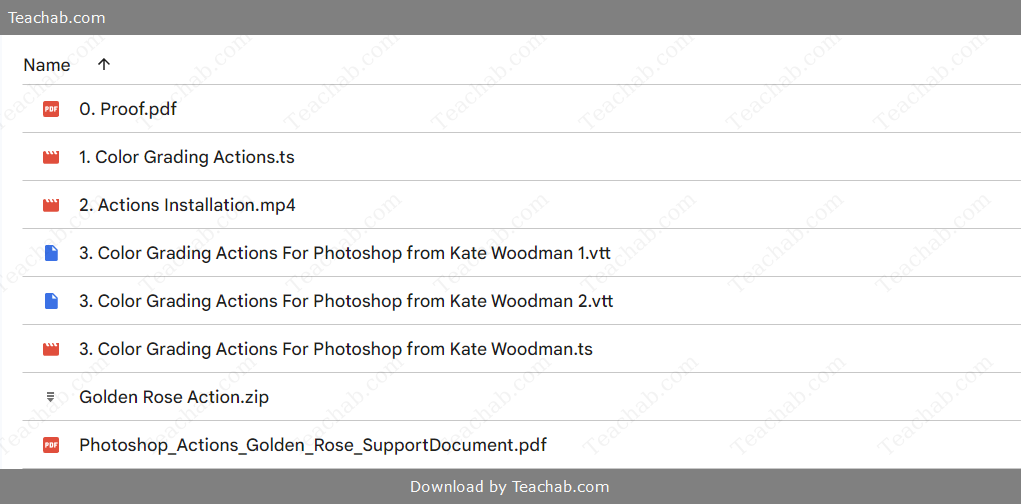
Check proof of content here:
In today’s digital photography landscape, the demand for streamlined, visually compelling editing tools has grown exponentially. Creatives—whether photographers or designers—are constantly on the lookout for solutions that enhance both workflow and aesthetic. Photoshop Actions offer an elegant solution by automating intricate editing processes into one-click transformations. Among these, the Golden Rose Action by Kate Woodman has earned attention for its ability to imbue images with a soft, dreamy atmosphere rich in warm, romantic tones. This review delves into what makes the Golden Rose Action distinctive, exploring its features, versatility, and real-world applicability in the art of color grading.
Photographers gravitate toward tools that elevate not just visual appeal but emotional impact. The Golden Rose Action does precisely that—it acts as more than just a color filter; it’s a visual mood enhancer. By weaving golden highlights with rosy warmth, it helps artists create emotionally resonant imagery. Let’s break down its components, functionality, and the value it offers across various photographic styles.
Features and Benefits of Golden Rose Action
Designed by renowned photographer and color artist Kate Woodman, the Golden Rose Action is more than a convenient preset—it's a nuanced editing tool that enables visual storytelling. Here’s a closer look at its core strengths:
1. Rich Color Enhancement
At the heart of this action lies its ability to introduce soft golden tones and subtle rosy overlays that enhance the depth and warmth of an image. It enriches highlights with golden light and intensifies shadows, yielding a polished and inviting look—ideal for romantic settings like weddings or portraits.
2. Highly Adaptable
While tailored to a specific warm aesthetic, the Golden Rose Action works across a range of photography styles. Whether you’re shooting outdoor landscapes or close-up portraits, the action blends seamlessly with the subject, making it a go-to for varied projects.
3. Time-Efficient Workflow
Professional photographers value speed without sacrificing quality. The Golden Rose Action condenses what might be 20–30 minutes of manual grading into a few seconds. It enables quick turnarounds while preserving a sophisticated color palette.
4. User-Friendly Design
With ease of use in mind, this action requires no advanced Photoshop expertise. Beginners can achieve professional results, while seasoned editors will appreciate the tweakable layers and intuitive adjustments.
5. Mood Enhancement
The emotional tone of an image often hinges on its color. This action’s warm hues and glowing highlights infuse photos with a sense of nostalgia and gentle emotion, particularly well-suited for engagement sessions and soft lifestyle imagery.
6. RAW Image Compatibility
Golden Rose works beautifully with RAW files, allowing users to retain a full dynamic range and apply fine-tuned enhancements. This is especially beneficial when preparing high-resolution images for print or gallery presentation.
7. Part of a Larger Collection
This action is a member of Kate Woodman’s Master Collection, which includes ten meticulously crafted actions. Together, they offer comprehensive editing versatility and help ensure a cohesive look across entire image sets.
From subtle warmth to emotional depth, the Golden Rose Action is a creative asset for photographers seeking both beauty and efficiency in post-processing.
Instant Download Adobe Photoshop Actions for Color | Golden Rose Action by Kate Woodman

Overall Color Enhancement
In terms of color grading, this action excels. It artfully enhances warmth while maintaining tonal balance, acting like a soft-focus golden-hour filter. Shadows gain richness, highlights are bathed in golden glow, and the entire image becomes more emotionally engaging.
Compared to traditional manual adjustments, which require in-depth knowledge of Photoshop tools and color theory, the Golden Rose Action simplifies the process without sacrificing quality. It's particularly useful for editors who aim to produce consistent results quickly.
A side-by-side comparison between a standard color-corrected portrait and one edited with Golden Rose reveals a distinct difference—the latter radiates warmth, softness, and intimacy that’s hard to replicate manually in such a short time.
Comparison Table: Manual vs. Golden Rose
| Parameter | Manual Color Correction | Golden Rose Action |
|---|---|---|
| Time Investment | High | Low |
| Required Skill Level | Advanced | Beginner-friendly |
| Emotional Resonance | Variable | Strong |
| Warmth & Nostalgia | Moderate | Enhanced |
| Ease of Final Tweaks | High control | Simple adjustment |
This tool makes it easy to achieve cinematic warmth and artistic expression, significantly boosting the emotional tone of any image.
Versatility with Various Image Styles
What sets Golden Rose apart is its flexibility. While some actions only work within narrow genres, this one performs beautifully across multiple styles of photography.
Situational Use Cases:
Portraits: Adds glow to skin tones and carves dimension into facial features with soft shadows and highlights.
Weddings: Elevates the emotion of the day by draping scenes in timeless, golden ambiance.
Landscapes: Enhances evening light and nature’s color palette, enriching sunsets and seasonal foliage.
Lifestyle Photography: Infuses everyday settings with charm, comfort, and emotional depth.
Versatility Summary:
- Portraits: Enhances skin tones; adds warmth.
- Weddings: Captures emotion; elevates romantic settings.
- Landscapes: Highlights natural colors; deepens hues.
- Lifestyle: Conveys mood; captures nostalgic moments.
The Golden Rose Action thrives by not restricting itself to a single style, providing a comprehensive enhancement tool suitable for virtually any photographer’s portfolio. It proves that versatility in editing is as crucial as creativity in shooting.
Compatibility with Photoshop Versions
Software compatibility is a major consideration for many users. The Golden Rose Action works flawlessly with Photoshop CS5 and newer, including all versions of Creative Cloud (CC).
This wide range ensures that whether you're working on an older machine or a fully updated system, the action will integrate smoothly into your workflow.
Compatibility Chart:
| Photoshop Version | Supported? |
|---|---|
| CS5 | ✅ |
| CS6 | ✅ |
| CC (All Versions) | ✅ |
This ensures longevity and usability, allowing photographers to invest in the action without worrying about future software upgrades.
Usage and Application
Getting started with the Golden Rose Action is remarkably straightforward. Here’s a simple process to help you integrate it into your editing pipeline:
Step-by-Step Guide:
Download the .ATN File: Start by downloading the action file from Kate Woodman’s website or the distribution source.
Open Photoshop & Load Action: In Photoshop, go to
Window > Actions, then load the file using the panel’s dropdown menu.Open Your Image: Choose your image—RAW or JPEG—on which to apply the effect.
Select the Action & Play: In the Actions panel, select "Golden Rose" and hit "Play" to apply it.
Adjust Layers: Customize the effect by modifying opacity, blend modes, or mask layers to suit your artistic intent.
The streamlined process allows photographers to create high-impact images quickly, making it a practical and powerful tool for both everyday use and artistic explorations.
Step-by-Step Application Guide
To transform your editing experience using the Golden Rose Action, here is a detailed step-by-step application guide that encompasses every facet of the process, ensuring successful implementation:
- Download the Action: Start by finding and downloading the Golden Rose Action file from a trusted source.
- Install Photoshop: Launch Adobe Photoshop and ensure it’s updated to a version compatible with the action.
- Access the Actions Panel: Head to the menu and select Window > Actions to open the relevant panel where you will import the action.
- Load the Action: Click on the menu icon in the Actions panel's top right corner, select 'Load Actions,' and navigate to the saved Golden Rose .atn file. Click “Load” to bring it into your workspace.
- Open Your Image: With the action now loaded, open the image you wish to enhance. Ensure that the image is of high quality for the best results.
- Select and Play the Action:
- Locate the Golden Rose Action on the panel.
- If it's grouped under a folder, ensure you expand the folder to find the specific action.
- Click the “Play” button at the bottom of the Actions panel to apply the effect to your selected image.
- Fine-tuning: Once the action is applied:
- Navigate to the Layers panel.
- You can customize the effect by adjusting the opacity of the layers or modifying the layer styles.
- Feel free to experiment with additional adjustments like contrast or hue saturation to fine-tune the final appearance.
- Save Your Work: After making all desired modifications, don't forget to save your file in the desired format, e.g., JPEG, PNG, or PSD, to maintain quality.
Tips for Best Results:
- Experiment with different lighting conditions and image types to see how the Golden Rose effect adapts.
- Always work with high-resolution images to maximize the action's potential.
- Consider using the action in tandem with other actions to create unique blends and visual styles.
The flexibility and streamlining capabilities of the Golden Rose Action allow for remarkable enhancements to be made with minimal effort. By familiarizing yourself with its application, you position yourself to utilize this tool to its fullest potential.
Tips for Maximizing Effectiveness
To ensure optimal use of the Golden Rose Action, here are several tips for maximizing effectiveness. These follow best practices that can enhance your results while avoiding common pitfalls.
- Understand the Action's Functionality: Dive into what the Golden Rose Action entails, including the adjustments it makes. Familiarizing yourself with its mechanics enables you to further refine or tweak your results effectively.
- Use Suitable Images: Select images that complement the action well. The Golden Rose Action, for instance, performs wonderfully with images showcasing warm lighting and soft colors. Selecting the right images can have a profound impact on the overall aesthetic of the final output.
- Layer Opacity: After applying the action, consider adjusting the opacity settings of the newly created layers. This practice allows for a more nuanced application, ensuring the effect feels integrated rather than imposed.
- Implement Layer Masks: Should there be any elements of the image that don’t align well with the action’s effects, layer masks can enable selective adjustments. This functionality ensures a seamless integration of the action's enhancements.
- Combine Actions for Unique Effects: Combining the Golden Rose Action with other actions can yield stunning results. Just be cautious not to overdo it; sometimes less is more, and a heavy-handed approach may detract from the overall impact.
- Create Custom Presets: If you discover settings within the Golden Rose Action that particularly resonate with your work, save them as presets. This feature can significantly accelerate your workflow for future projects.
- Consistent Experimentation: Regularly experiment with different images and settings. The beauty of the Golden Rose Action is its adaptability, so stretching its boundaries can often reveal new artistic possibilities.
Common Mistakes to Avoid:
- Over applying effects can lead to unnatural results. Moderation is key; sometimes subtle changes yield more appealing outcomes.
- Neglecting to prepare the original image can limit the action’s effectiveness. Basic lighting and composition adjustments should be made beforehand.
- Failing to keep editable layers can hinder further adjustments. Always retain your layers until you’re completely satisfied with the outcome.
- Skipping the inspection after applying the action can lead to overlooking artifacts. Thoroughly review your images after editing for any imperfections.
By proactively implementing these strategies, photographers can significantly enhance their experience and results with the Golden Rose Action, capturing stunning edits with ease.
Comparison with Other Photoshop Actions
When exploring different Photoshop actions, particularly those for color grading, it’s imperative to perform a thoughtful comparison among available options. The Golden Rose Action, while potent, exists in a diverse ecosystem of editing tools. Here’s how it stacks up against others.
Golden Rose vs. Other Color Grading Actions
- Ease of Use: The Golden Rose Action is often lauded for its user-friendly design. Many alternatives can be overly complex, requiring extensive adjustments post-application. Users seeking swift results often prefer the seamless nature of the Golden Rose Action, which allows for a quick and effective editing process.
- Targeted Application: Unlike more generic color grading actions that serve a broad spectrum of styles, the Golden Rose Action offers a clear focus on warm and romantic aesthetics. Many other actions may not yield suitable results on soft-lit or warm-toned images, making this specific action particularly advantageous for those aiming for voiceless storytelling through imagery.
- Result Quality: The outcomes produced by the Golden Rose Action tend to lean towards natural and emotive visuals, while some competitors may opt for high-contrast or boldly saturated effects. This quality makes Golden Rose a preferred choice for photographers who wish to preserve their images' integrity while infusing warmth and character into their narratives.
- Adaptability: While the Golden Rose Action excels with specific image types, certain actions target niche markets or styles. For instance, actions designed to create stark black-and-white conversions or highly stylized cinematic looks might overshadow the softer application of the Golden Rose.
Features | Golden Rose Action | Other Color Grading Actions |
User-Friendliness | High | Varies |
Result Quality | Natural and Emotive | Can be Over-Defined |
Targeted Aesthetic | Warm and Romantic | Generalized or Specialized |
Workflow Integration | Quick and Simple | May Require Extensive Edits |
In essence, while the Golden Rose Action provides a well-defined and unique editing emotion, it is essential to consider both its strengths and the alternative actions available. Each tool has its place in a photographer's toolkit, and users are encouraged to explore different options to discover the best fit for their creative vision.
Unique Selling Points of Golden Rose
With the competitive market of Photoshop actions, the unique selling points of the Golden Rose Action set it apart as a formidable tool. Here are some key aspects that make it stand out:
- Warmth and Romance: The Golden Rose Action focuses on enhancing romantic elements in images. This is a notable distinction, as many competitors may produce effects that veer into harsh or unnatural territory. The balance struck by Golden Rose makes it ideal for capturing intimate moments that require a delicate touch.
- Customizability: Users enjoy the freedom this action provides in terms of adjustments. Unlike many one-size-fits-all alternatives, Golden Rose features layers that can be customized, allowing photographers to curate their desired result.
- Speedy Application and Results: In today’s fast-paced world, efficiency counts. The Golden Rose Action allows users to apply beautiful effects in seconds while providing room for further refinements. This convenience is a strong selling point for busy photographers.
- Targeted Market Appeal: The specific focus on the wedding and portrait photography genre makes it a go-to option for professionals in those fields. Photographers specializing in these genres can consistently rely on the Golden Rose Action to enhance their artistic vision without missing a beat.
- Community and Support: With a decreasing number of resources available for unique actions, the Golden Rose Action comes with a supportive community of users. This ecosystem offers a shared experience and resourceful tips to maximize the action's utilization in editing workflows.
Unique Selling Points | Golden Rose Action |
Strong Emotional Appeal | Yes |
Customization | Extensive |
Speed of Application | Fast |
Targeted Audience | Wedding and Portrait Photography |
Community Support | Yes |
The combination of these unique selling points positions the Golden Rose Action as a distinguished option among a crowded marketplace. Photographers seeking tools that cater to their specific needs find the Golden Rose Action to be an invaluable ally in their editing process.
User Experience Compared to Alternatives
Understanding the user experience when utilizing the Golden Rose Action compared to alternatives can provide vital insights into its practicality and effectiveness. Many photographers share their experiences online, highlighting the following aspects:
- Simplicity and Accessibility: Users consistently commend the Golden Rose Action for its straightforward interface that allows anyone regardless of technical proficiency to achieve stunning enhancements. In contrast, some alternatives can feel more technical, requiring additional know-how to achieve the desired results.
- Quality of Output: Many users report high satisfaction with the color grading results from Golden Rose, achieving natural-looking enhancements that align with their artistic visions. On the flip side, alternative actions may sometimes produce jarring results that may require extensive post-editing adjustments.
- Integration into Workflow: The action seamlessly integrates into existing workflows, enabling photographers to maintain their creative momentum. Alternatively, other actions may interfere with current practices, requiring a learning curve that hinders productivity.
- Community Feedback: Photographers often praise the presence of a supportive community surrounding the Golden Rose Action. This communal aspect fosters an environment of shared tips, creative inspiration, and troubleshooting. Some alternative actions, however, lack this level of community engagement, leaving users feeling isolated or unsupported.
User Experience Factors | Golden Rose Action | Alternatives |
Ease of Use | High | Varies |
Quality of Output | Natural and Reminiscent | Can Vary |
Workflow Integration | Smooth | Sometimes Clunky |
Community Support | Strong | Weak to Average |
Thus, the favorable perception of the Golden Rose Action among users speaks to its effectiveness and approachability. Photographers appreciate its ability to simplify previously complex processes, allowing creativity to flourish rather than be stifled by technical barriers.
Performance and User Feedback
The performance of the Golden Rose Action, coupled with user feedback, serves as a cornerstone for its reputation in the photography community. Analyzing customer reviews provides valuable insights into its effectiveness and areas to consider when implementing it into one’s workflow.
Customer Reviews and Ratings
Customer response to the Golden Rose Action has been overwhelmingly positive. With an average rating of 5.0 out of 5 stars, users have noted several things that elevate their experiences:
- Ease of Use: Many users appreciate the simple installation process and accessibility of the action, highlighting its user-friendly nature. This encourages even beginners to adopt the tool without fear of complexity.
- Remarkable Results: Reviewers have expressed satisfaction with the stunning transformations that the Golden Rose Action can produce. Whether working on wedding photography or personal portraits, users tout the emotional depth the action brings, leading to more engaging visuals.
- Efficient Workflow: Users also appreciate the time-saving aspect of the Golden Rose Action, allowing them to streamline their editing process effectively. With the ability to produce beautiful results with minimal effort, photographers can cater to a larger clientele or focus on their next project.
- Community Engagement: Positive feedback highlights the camaraderie within the user base as many share their successes on social media and are willing to provide tips. This community aspect contributes to a more enriching user experience overall.
Summary of Customer Feedback:
- Average Rating: 5.0/5.0
- Ease of Use: High
- Transformative Results: Notable
- Workflow Efficiency: Profound
- Community Support: Strong
Analysis of Usage Scenarios
When examining usage scenarios for the Golden Rose Action, it’s essential to explore how it fits into various editing workflows, particularly in photography:
- Weddings: The action's warm tones complement wedding imagery beautifully, enhancing the emotional quality of the couple’s special day while providing consistency across a series of photographs.
- Portraits: It works wonders in portraiture, enhancing facial features through its rosy tones and depth, creating images that resonate with warmth and personality.
- Lifestyle Shots: The action lends itself to lifestyle photography as it captures candid moments, making everyday tales feel extraordinary and inviting.
- Batch Processing: Photographers can apply the action to multiple files in bulk, drastically cutting down on editing time while ensuring that the subsequent images maintain a cohesive look.
- RAW Editing: Professionals can harness the power of RAW files to extract maximum detail and tone, utilizing the Golden Rose Action to enhance the quality of their work.
Users have documented their successes extensively, demonstrating that the Golden Rose Action fits seamlessly into their routines while providing high-quality enhancements that tell compelling stories through imagery.
Case Studies of Successful Edits
By examining remarkable outcomes through the use of the Golden Rose Action, we can uncover how it has transformed specific projects:
- Wedding Portfolio: A photographer specializing in wedding photography shared a series of before-and-after images using the Golden Rose Action. The transformation showcased dramatic shifts in mood previously flat images morphed into luminous captures, drawing the viewer's attention and evoking emotions aligned with love and celebration.
- Family Portraits: A family photographer utilized the action to enhance a series of lifestyle portraits. The results included stunning, sunlit images with rich emotional storytelling that rendered each shot a cherished keepsake.
- Personal Projects: An individual photographer documented her travels, employing the Golden Rose Action to infuse local landscapes with rich golden tones, emphasizing the warmth of the destinations visited. Reviews from fans and fellow travelers praised her line of evocative images, noting how the action breathed life into her memories.
The Golden Rose Action has proven its worth in various contexts, consistently yielding outstanding results that amplify the storytelling capacities of photographers' works.
Technical Specifications
Understanding the technical specifications of the Golden Rose Action can help users determine its compatibility with their existing systems. Here are some important details to ensure optimal performance:
Installation Requirements
To effectively install the Golden Rose Action, users should meet or exceed the following specifications:
- Operating System: Compatible with Windows 10 (64-bit) or macOS Big Sur and later versions.
- RAM: A minimum of 8 GB is recommended for stable performance.
- CPU: Multicore Intel or AMD processor (2 GHz or faster).
- Disk Space: 20 GB of available hard disk space for installation.
- Internet: Connection may be needed for activation and online services.
Supported File Types and Formats
The Golden Rose Action supports common image formats:
- JPEG
- PNG
- TIFF
- PSD
- RAW Files – A strong enhancement for RAW files, allowing photographers to maximize image potential.
Performance Metrics and Speed
Users typically report significant performance benefits when utilizing the Golden Rose Action, including:
- Rapid Application Speed: Most effects are applied in mere seconds.
- Editing Control: Limited layer creation allows users to maintain performance speed.
- Overall Efficiency: The action enhances workflow by minimizing manual edits, leading to quicker turnaround times.
Technical Specifications | Requirements |
OS | Windows 10 (64-bit) / macOS Big Sur |
RAM | 8 GB minimum |
Processor | Multicore Intel or AMD |
Disk Space | 20 GB minimum |
Supported Formats | JPEG, PNG, TIFF, PSD, RAW |
By adhering to these technical specifications, users can ensure the effective installation and functionality of the Golden Rose Action, allowing for a smooth editing experience that enhances their workflows.
Learning Resources
In the realm of Adobe Photoshop, accessible learning resources especially for actions like the Golden Rose Action are invaluable. Here are several avenues available to deepen your understanding and maximize your use of the action:
Tutorial Availability and Quality
Numerous platforms offer tutorials that help users learn how to utilize Adobe Photoshop Actions effectively. Notable sources include:
- Envato Tuts+: Provides comprehensive guides on managing actions and editing processes.
- YouTube: A myriad of visual guides, often created by experienced photographers, walk through various projects and strategies surrounding color grading tools like the Golden Rose Action.
- Photography Blogs: Many photography-centric blogs share tips and tricks, often including specific tutorials on using popular actions.
These resources are essential in building a solid foundation and enhancing technical proficiency in Photoshop, allowing photographers to maximize the capabilities of actions like Golden Rose.
Community Support and Forums
The role of community support cannot be overlooked. Various forums, such as the Adobe Community or dedicated Facebook groups, provide spaces for users to:
- Share experiences about utilizing the Golden Rose Action.
- Ask for advice from fellow photographers or edit-savvy individuals.
- Engage in discussions around Photoshop tips and troubleshooting for enhancing workflows.
Such platforms foster collaborative growth, encouraging users to exchange insights that refine their use of the Golden Rose Action and other related tools.
Additional Learning Materials
Apart from tutorials and community forums, an array of additional learning materials is available, including:
- E-books and Online Courses: Many platforms offer educational materials focusing on Adobe Photoshop best practices, including color grading and utilizing specific actions like Golden Rose.
- Webinars and Live Demos: Users can attend live sessions with experts discussing practical tips for implementing actions in their work.
Utilizing these resources empowers photographers to expand their knowledge and elevate their editing skills, ultimately enhancing the quality and impact of their imagery.
Pricing and Value
In the realm of photography, evaluating the pricing and value of tools like the Golden Rose Action is crucial. Knowing the financial commitment required can help photographers make informed decisions about investing in such enhancements.
Cost Breakdown of Golden Rose Action
While explicit pricing for just the Golden Rose Action isn’t directly quoted, it's beneficial to note that it generally falls within the range of $9.99 for this particular action when purchased individually. Additionally, Kate Woodman offers a Master Collection that houses ten versatile actions, priced approximately between $49.99 to $79.99, providing substantial value for photographers looking to enhance their editing arsenal.
Comparison of Pricing with Other Actions
When placed within the broader context of pricing in the Photoshop action marketplace, the Golden Rose Action remains competitive. While many single actions may exceed $25.00, the Golden Rose Action’s cost is attractive, suggesting photographers can achieve remarkable color grading without substantial investment.
Pricing Comparison | Golden Rose Action | Other Actions |
Individual Action Cost | ~$9.99 | $15.00 - $30.00 |
Master Collection Cost | $49.99 - $79.99 | $100.00+ for premium sets |
Average User Rating | 5.0/5.0 | Varies considerably |
Investing in the Golden Rose Action and particularly its collection offers promising long-term value for photographers, as it allows for immediate access to a dynamic editing toolset while ensuring enduring enhancements in image quality.
Long-Term Value for Photographers
By integrating tools like the Golden Rose Action into their editing processes, photographers can anticipate several long-term benefits:
- Consistent Quality: The ability to maintain a cohesive aesthetic across portfolios reflects professionalism, bolstering brand identity.
- Time Efficiency: Saving time on edits allows photographers to focus on capturing more images, ultimately leading to increased production.
- Creative Exploration: The action provides room for experimentation, encouraging photographers to stretch their creative boundaries.
In conclusion, when combined with a good pricing structure and potential for extensive use, the Golden Rose Action presents a valuable opportunity for enhancing photographic quality while remaining mindful of costs. Photographers seeking to elevate their craft should consider this action as a worthy addition to their toolkit.
In summary, the Golden Rose Action by Kate Woodman represents more than a mere tool it's an artistic companion tailored for those who seek to enrich their photographic narratives through warm, romantic enhancements. With its accessible installation process, impressive results, and versatility across various styles, this action stands as a testament to the ever-evolving landscape of digital photography a vital resource for anyone endeavoring to make their images sing.
Related products



Editing Masterclass for Wedding Photographers - Reflections Academy
by Danilo and Sharon
$1.200.00
$59.50