Adobe Photoshop Actions for Color | Rust Action
by Kate Woodman
Review: Adobe Photoshop Actions for Color | Rust Action by Kate Woodman
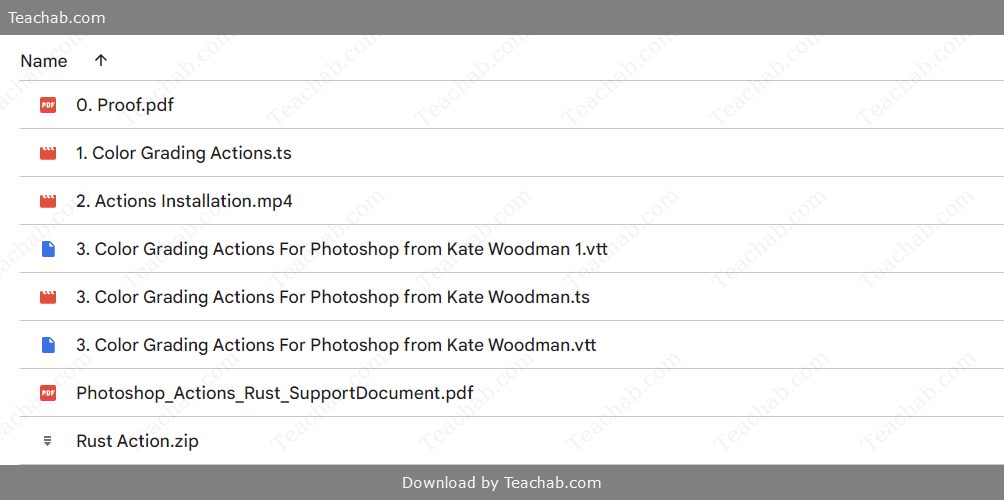
Check proof of content here:
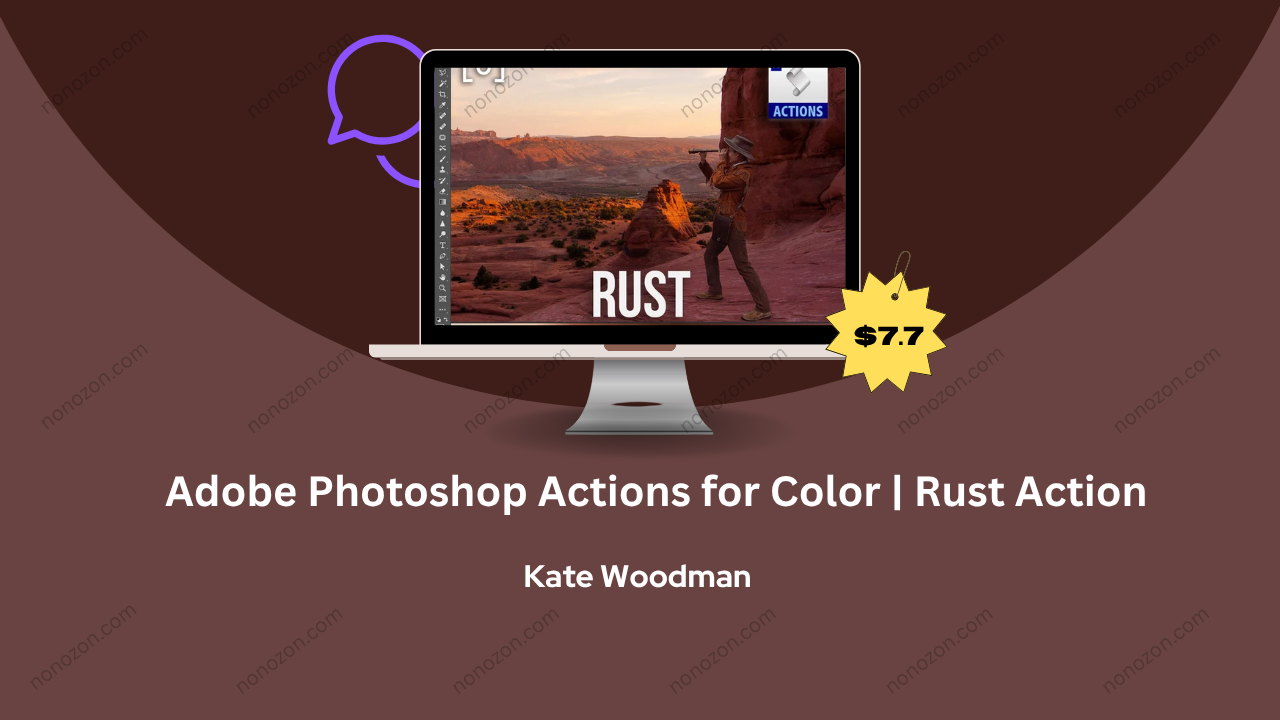
Finding a truly distinct visual voice in the saturated field of photography can be a daunting task. With a sea of editing tools at one’s disposal, pinpointing the right one to complement and enhance a photographer's unique vision is essential. The Rust Action by Kate Woodman for Adobe Photoshop offers a compelling solution. Designed to bring a nostalgic, warm-toned atmosphere to images while simplifying the color grading process, this action rises above many of its counterparts. This review dives deep into the Rust Action’s key strengths, usability, and creative potential, offering a clear perspective on how it stacks up in the world of Photoshop editing tools.
Features of the Rust Action
Kate Woodman’s Rust Action is packed with thoughtfully designed features that both enrich image quality and improve editing efficiency. Key highlights include:
- Hue Enhancements; Central to the Rust Action is its ability to subtly shift hues—particularly in the red and magenta ranges—adding an inviting depth and soft glow. These enhancements work beautifully for portrait work or winter scenes, offering a tonal warmth that feels both contemporary and timeless.
- Cross-Genre Utility; Despite its specialized aesthetic, Rust adapts well to numerous styles—from moody landscapes to polished product shots. Its flexible nature makes it a valuable addition to any photographer’s editing toolkit.
- Workflow Efficiency; Rust is crafted to automate complex color grading steps, reducing the need for manual tweaks. This means faster turnaround times for photographers juggling multiple deadlines—without compromising on quality.
- Optimal for Warm Palettes; Images rich in reds, yellows, and oranges—like autumn photos, sunset scenes, or festive portraits—are where Rust shines. Its tonal calibration brings cohesion and richness to compositions built around warm color schemes.
- Part of a Bigger Picture; Rust is one of ten actions in Woodman’s Master Collection, which is designed to offer creative cohesion across multiple shoots. Each action complements the others, encouraging stylistic experimentation while maintaining visual consistency.
Together, these features make the Rust Action a well-rounded tool that blends technical power with creative flair.
Unique Color Grading Capabilities
Rust stands out for its distinctive approach to color manipulation. Color grading is both a science and an art, and Rust strikes a balance between automation and expressiveness.
- Warm and Inviting Palette; Rust specializes in producing warm visuals that feel organic and emotive. Its use of enhanced reds and magentas gives images a glowing, sunlit quality that feels particularly engaging.
- Emotional Storytelling; The tones generated by Rust often evoke a sense of nostalgia—perfect for photographers aiming to tell deeper, more emotionally resonant stories through their visuals.
- Reliable Across Series; Maintaining a consistent tone across different images can be difficult. Rust excels in offering stable results, making it perfect for editorial spreads or brand portfolios that demand a unified aesthetic.
- Adjustable Fine Details; Rust provides room for creative control. Users can tweak individual color channels or layers to suit the needs of a specific project, ensuring the effect aligns with each image's unique tone and lighting.
- Simple but Powerful UI; Even photographers with limited Photoshop experience will appreciate how straightforward the action is to use. Real-time previews and editable layers make creative exploration stress-free and fast.
In short, Rust merges visual depth with ease-of-use, giving photographers the tools to elevate their work with minimal hassle.
Instant Download Adobe Photoshop Actions for Color | Rust Action by Kate Woodman
Compatibility with Adobe Photoshop Versions
One of Rust’s advantages lies in its broad compatibility and smooth integration into existing Photoshop setups.
- Wide Version Support; The action is optimized for Adobe Photoshop CC and works well with most current and recent versions. This ensures accessibility for photographers across different stages of their career and hardware environments.
- Consistent Updates; Kate Woodman is known for updating her products to remain aligned with Adobe's evolving software. This forward-thinking approach helps keep the Rust Action relevant and reliable over time.
- Easy Setup Process; Installation is as simple as loading a .atn file into the Photoshop Actions panel—no steep learning curve or complicated steps required.
- System-Dependent Performance; As with most professional tools, optimal performance depends on system capabilities. Those working with high-resolution files or multiple layers should ensure their setup meets Adobe’s recommended specs.
- Broad File Format Functionality; Whether working in JPEG, PSD, or TIFF, Rust maintains quality and consistency across formats. This makes it ideal for photographers juggling various types of deliverables.
Overall, Rust’s cross-version compatibility and dependable performance make it an accessible and long-term editing companion.
Customization Options Available
What makes the Rust Action more than just a plug-and-play tool is its impressive range of customizability. This ensures photographers can make the action their own.
- Control Over Intensity; After applying the action, users can scale the effect’s strength up or down to achieve just the right mood—whether they’re aiming for subtlety or drama.
- Editable Layers; The layers generated by Rust are fully editable. Users can toggle them, make selective adjustments, or remove elements as needed to better fit the image and their creative vision.
- Blending Experiments; By testing different blend modes, photographers can discover new ways the action interacts with image textures and lighting, often uncovering fresh creative directions.
- Individual Channel Adjustments; Rust allows for granular control of individual color channels. This flexibility is ideal for users who want to fine-tune specific hues outside the standard red-magenta range.
- Save and Reuse Settings; Users can save their own modified versions of Rust as new actions or presets, streamlining future edits and maintaining stylistic consistency across projects.
This degree of flexibility makes Rust a valuable tool not just for editing—but for developing a distinct visual style.
Application of the Rust Action
Rust is versatile enough to enhance a range of photography styles, from professional commissions to personal creative experiments.
- Portrait Work; Rust enriches skin tones with warmth and softness, giving subjects a radiant glow that feels intimate and natural—ideal for lifestyle, fashion, or editorial portraits.
- Nature and Landscape Scenes; The action accentuates the earthy richness in landscape photography, especially in scenes filled with golden hour light or vibrant fall foliage.
- Editorial and Branding; When consistency is key—like in magazines or brand campaigns—Rust delivers reliable tones that tie together multiple images with a unified look and feel.
- Creative and Personal Use; Photographers working on passion projects—like wedding albums or family photos—will appreciate the nostalgic, almost cinematic ambiance Rust adds with a single click.
- Commercial Visuals; Brands that value emotional connection can benefit from Rust’s inviting aesthetic. Its tones can elevate product imagery, making it feel more organic and relatable.
Rust adapts gracefully to these different creative environments, helping photographers craft images that speak to both art and audience.
Ideal Scenarios for Use
Certain settings and subjects lend themselves particularly well to the Rust Action’s strengths. Here are the top scenarios where it thrives:
1. Autumn Shoots
Rust is tailor-made for capturing fall’s golden hues. It enhances the reds and oranges in foliage, lending photos a warm, cohesive glow that embodies the spirit of the season.
2. Sunrise and Sunset Imagery
The subtle light of dawn or dusk pairs beautifully with Rust’s warm shifts. Clouds and ambient light take on a dreamlike quality when enhanced with its nostalgic hues.
3. Family and Lifestyle Portraits
Emotional warmth is the hallmark of family photography, and Rust helps amplify that. It gently enhances skin tones while adding a cozy, unified atmosphere to the entire image.
4. Urban Photography
From sun-drenched buildings to moody alleys, Rust adds a cinematic edge to urban scenes. It smooths transitions between light and shadow while preserving depth.
5. Artistic Personal Projects
For photographers exploring mood, story, or emotion, Rust is a flexible ally. Whether used for fine art or visual storytelling, it brings expressive warmth that enhances narrative power.
These use cases highlight Rust’s ability to support both technical excellence and emotional impact.
Step-by-Step Guide on How to Apply
Getting started with the Rust Action is quick and user-friendly. Here’s a step-by-step walkthrough:
Download the .ATN File
Start by downloading the Rust Action file from your purchase source.Open Photoshop and Access the Actions Panel
Launch Adobe Photoshop and go toWindow > Actionsto open the Actions panel.Load the Action
In the Actions panel, click the menu icon (top-right corner) and selectLoad Actions. Find the.atnfile and import it.Apply to Image
With the desired photo open, select the Rust Action and hit the play button at the bottom of the panel.Adjust as Needed
Once applied, you can fine-tune layer opacity, tweak colors, or experiment with blending modes to personalize the effect.Save Your Image
When satisfied, save your edited photo in your preferred format—ready for print, web, or sharing.- Refine with a Brush Tool: For areas where the action might not have applied as desired, create a new layer and use a soft-edged brush in brown or earthy tones to manually enhance rust details. Set the brush opacity to around 10% for subtlety in touch.
- Final Adjustments: After applying the action and any additional enhancements, utilize Photoshop's levels or curves (navigate to Image > Adjustments > Levels/Curves) to tweak brightness and contrast, ensuring a polished appearance overall.
Tips for Best Results
As with any tool, achieving excellent results with the Rust Action involves understanding best practices and techniques. Here are some valuable tips to enhance the editing experience:
- High-Resolution Images: Start with high-resolution images to ensure the effects scale well and maintain quality. The richness of detail adds depth and authenticity to the Rust aesthetic.
- Experiment with Layer Structures: Utilizing layers effectively can significantly elevate outcomes. Keep track of all changes, and don’t shy away from using masks to apply the action selectively to certain areas without overwhelming the subject.
- Use Different Textures: Experimenting with various texture overlays allows photographers to create unique outcomes. Test out different rust textures and blending modes to see how each combination changes the overall aesthetic.
- Review Past Work: Learning from previous edits can be immensely helpful. Analyze photographs that have used the Rust Action to gain insight into what worked best, guiding future applications.
- Stay Open to Adjustments: Don’t hesitate to tweak the settings post-application. The general rule is to refine until the image resonates with your intended emotional impact, whether that’s warmth, nostalgia, or artistic flair.
By implementing these tips alongside the Rust Action, photographers can optimize their editing process and ensure the highest quality outputs, strengthening their overall artistic expression.
Comparison with Other Actions
In the landscape of Photoshop actions, determining which to utilize for a specific project hinges on understanding their unique offerings and the outcomes they achieve. Within this context, the Rust Action stands in contrast to other well-known actions:
Differences Between Rust and Gloaming Actions
When analyzing the core differences between the Rust Action and the Gloaming Action, it becomes clear that despite both aiming to enhance photographs, their approaches are distinctly tailored to evoke different moods.
- Color Palette Focus: The Rust Action is predominantly warm, emphasizing red and magenta hues. It caters to photographers seeking to infuse their images with warmth and nostalgia, whereas the Gloaming Action, which produces cooler blue tones, works to create a moody, twilight feel. The choice between these actions boils down to the emotional resonance a photographer seeks.
- Targeted Imagery: Rust is better suited for warm-toned images such as autumn landscapes and portraits, while Gloaming is typically ideal for more atmospheric scenes, including nighttime cityscapes or dramatic clouds. Understanding the thematic focus of each action allows photographers to better choose their tools based on project intent.
- Tone Adjustments: Rust enriches tones, drawing viewers into the warmth of the image, while Gloaming tends to reduce contrast, pushing shadows deeper and allowing for a more subdued visual narrative. This tonal divergence can lead to entirely different interpretations of similar subjects and compositions.
- User Intent & Preferences: From a user perspective, those who are inclined toward vibrant, cheerful aesthetics will favor the Rust Action, while photographers who gravitate toward atmospheric scenes and a darker palette are likely to prefer Gloaming. This divergence highlights the nuanced needs of photographers in creating atmospheres that resonate with their artistic visions.
In conclusion, while both actions greatly affect photographic quality, the choice between Rust and Gloaming lies in understanding the emotional tenor desired in a project.
Benefits of Rust Action Over Spring Court Action
Contrasting the Rust Action against the Spring Court Action reveals several standing benefits that can materialize depending on the photographer’s specific needs:
- Effective Color Grading: Rust is primarily focused on color grading and vintage effects, which are appealing for lifestyle photography. Spring Court Actions, while versatile, might not provide the same level of warm tones and nostalgia that Rust does an essential aspect for certain images.
- Streamlined Workflow: Photographers utilizing the Rust Action benefit from a more streamlined workflow due to its focused automation on warm color grading. Spring's features, while broad, may require more manual adjustments to achieve similar warmth or vintage qualities.
- Targeted Application: Rust’s design is tailored particularly for applications in portrait and lifestyle photography, whereas Spring Court Actions may cater to a wider variety of design styles without honing in on specific aesthetics.
- User Satisfaction: Popular feedback indicates that Rust has gained a reputation for being user-friendly and intuitive. Photographers frequently praise its ease of use, particularly when compared to other more complex actions, allowing for a quicker route to satisfying results.
- Consistency in Results: The Rust Action is celebrated for producing consistent outcomes across various projects, ensuring that photographers maintain their aesthetic choices irrespective of subject matter. While Spring Court Actions may provide good results, they could require more adjustments to achieve consistency.
Ultimately, photographers focused on achieving warmth and vibrancy while ensuring a streamlined editing experience may find considerable advantages in choosing the Rust Action over others.
Performance Review Against Competitors
In assessing the performance of the Rust Action alongside alternative Photoshop actions, key metrics and user experiences provide valuable insights into its capabilities:
- Efficiency and Speed: The Rust Action enhances both the efficiency of color grading and the overall speed of the editing process. In contrast, competitors may require more time due to their complexity or reliance on manual adjustments, making Rust a preferable choice for high-volume editing scenarios.
- User Experience Ratings: User reviews consistently highlight excellent satisfaction with the Rust Action. Many point out the transformational impact it has on their photographs while also appreciating the simplified workflow it brings. Such high satisfaction ratings often reflected in 5-star reviews underscore Rust’s effectiveness and ease of use when compared to other actions in the marketplace.
- Versatility Across Image Types: Photographers have reported positive results when using Rust across various image types this versatility sets it apart from others that might shine in specific areas but falter in broader applications.
- Aesthetic Choices: Unlike many competitive actions, Rust emphasizes a unique aesthetic appeal that resonates with those seeking vintage, warm photographs. Less common in alternatives, this focus can attract photographers with similar artistic aspirations, solidifying its place in an expansive toolkit.
- Overall Outcomes: Many photographers have remarked that switching to the Rust Action has resulted in a marked improvement in the overall quality of their work. Users feel they can achieve professional-level outputs with significantly reduced effort, reinforcing the action's position as a strong performer compared to its competitors.
In summation, the performance review indicates that the Rust Action excels in efficiency, versatility, and user satisfaction making it a wise choice amidst the competitive landscape of Photoshop actions.
User Experience and Feedback
User experiences with the Rust Action reveal a nuanced look at how effective the action is in real-world applications. Perspectives gathered from users paint a holistic picture of satisfaction and common concerns while navigating this tool.
Customer Reviews and Testimonials
Customer reviews for the Rust Action developed by Kate Woodman have been largely positive, with users expressing appreciation for the action's effects and ease of use. Here are some notable points collected from user testimonials:
- Effective Color Grading: Many customers have been quick to highlight the action’s ability to create stunning warm tones, particularly praising its functionality for family portraits and lifestyle photography. One user, Maria K., states, "The Rust Action transformed my photos, bringing them to life in ways I didn’t think possible!"
- Streamlined Workflow: Reviewers often note how much time the Rust Action saves when editing large volumes of images, which is especially advantageous for busy photographers. As noted by Steven L., "This action has shaved hours off my editing routine, allowing me to focus on shooting rather than endless adjustments."
- Quality Shines Through: Users consistently point out that the outputs preserve the natural essence of their subjects, which is often a challenging endeavor in image editing. Testimonials highlight that the action results in vibrant, yet realistic portraits that stand out.
- Ease of Use for All Skill Levels: Feedback indicates that the Rust Action is user-friendly, with many noting that even beginners quickly adapt to it. Testimonials reveal that clear documentation and tutorials are provided with the action, enabling users to get started without hassle.
- Support and Community: The support from Kate Woodman's team has also gained commendations. Users report that any inquiries regarding the action are handled promptly, further enhancing the overall experience.
In summary, the positive feedback from customers reinforces the Rust Action's reliability and effectiveness in enhancing photographic projects, leading to consistent acclaim across various user experiences.
Common Issues Reported by Users
Despite the overwhelmingly positive reception of the Rust Action, users have also reported some common issues that may arise during its use. Recognizing these challenges is essential for realistic user expectations:
- Compatibility Challenges: Some users have encountered issues where the Rust Action does not function as intended due to version discrepancies with Photoshop. Ensuring that users are aware of which versions are compatible can mitigate this problem.
- Layer Dependencies: A common frustration arises when users find their actions failing because their edited images lack necessary layers or structures. This can lead to an incomplete or ineffective application, which can be discouraging.
- File Format Constraints: Users noted that some actions may not work perfectly across all image formats. Specific formatting can lead to unexpected results, so it's crucial for users to double-check their file types.
- Technical Performance: Some users reported system slowdowns or crashes, particularly if applying the action to high-resolution images on older machines. Ensuring that users are aware of the system requirements ahead of time may help alleviate performance issues.
- User Error During Application: Occasionally, issues occur when users inadvertently skip necessary steps or misunderstand usage. Ensuring comprehensive tutorials or support materials can help users navigate these pitfalls effectively.
While these common issues can occur, many users find that the benefits of the Rust Action far outweigh any minor obstacles. Additional support and continued use often lead to users overcoming challenges, with ongoing satisfaction in the action's functionality.
Overall Satisfaction Ratings
User satisfaction ratings for the Rust Action reveal a robust appreciation for its capabilities. Here's a breakdown of the overall sentiments reported by users:
- High Satisfaction Scores: The Rust Action has garnered an impressive rating of 4.5 stars out of 5 across various platforms, signifying a high level of user satisfaction. Customers frequently voice their delight in how it enhances their work, with many returning to share their favorite edits.
- Effectiveness and Ease of Use: A significant percentage of respondents cited effectiveness as the primary reason for their positive experiences. Many users highlighted how easy it is to integrate Rust into their existing workflows, allowing creativity to flourish without overwhelming technical burdens.
- Value Perception: Users often comment on the tremendous value provided by the Rust Action, leading them to view it as a worthwhile investment. Photographers noted that it provides consistent, high-quality outcomes that translate into warmer, emotionally resonant portfolios.
- Potential for Community and Feedback: Several users emphasize their appreciation for the photographer community that shares insights and tips related to Rust Action. The collaborative atmosphere fosters a stronger user experience and continuous growth in practical understanding of the tool.
- Repeat Usage and Recommendations: A large number of reviewers expressed their intention to use the Rust Action consistently in the future, often recommending it to peers. This points to a powerful satisfaction level, affirming that many users regard it as an indispensable part of their creative toolkit.
In conclusion, the overall satisfaction ratings pertaining to the Rust Action are exceptionally positive, showcasing it as a preferred tool among a diverse range of users in the photography community.
Technical Aspects
When integrating the Rust Action into your workflow, understanding some key technical aspects can enhance your experience and effectiveness. These considerations ensure that you get the most out of this tool:
Installation Process for Photoshop Actions
Installing the Rust Action is straightforward, designed to ensure that photographers can start using it swiftly. Below is a step-by-step guide to ensure a smooth installation:
- Download the .atn File: Ensure that you have acquired the Rust Action from a trustworthy source. The file should be easily accessible on your computer for future use.
- Open Adobe Photoshop: Launch the Adobe Photoshop application on your device.
- Navigate to the Actions Panel: Click on Window in the upper menu and select Actions. This opens the Actions panel where all your recorded actions will reside.
- Load the Action File: Click on the Actions panel menu icon (the three horizontal lines). Choose Load Actions, find the Rust Action .atn file on your computer, and click Load. The action will now be available for use.
- Verify Installation: Confirm that the Rust Action appears in the Actions panel. You should see the various steps associated with the action, ready for application.
By following these straightforward steps, users can ensure that they set up the Rust Action without unnecessary complications, allowing them to focus on their photography editing tasks.
Performance on Different Image Types
The Rust Action exhibits remarkable performance across various image types each photo endeavoring different treatments to maximize its potential. Here’s a detailed look at how it performs based on image type:
- JPEG Images: The Rust Action works efficiently on JPEG images, enhancing vibrant colors and providing the warmth that is characteristic of its aesthetic. JPEGs, due to their compressed nature, can lose detail; however, applying the Rust Action adds depth without sacrificing quality.
- RAW Files: This is where the action truly excels; RAW files maintain more original data, allowing the Rust Action to work its magic effectively. Users can achieve superior detail and dynamic range with processed images, especially notable in landscapes and portraits with complex color palettes.
- TIFF Format: Like RAW, TIFF format images accommodate significant data, allowing the Rust Action to manifest clearer effects. The action can help in achieving highly detailed prints and superior color integrity, making TIFFs ideal subjects for its application.
- PNG Files: PNG images, which often support transparency, see good benefits from the Rust Action. The action enhances color vibrancy while preserving the transparent qualities, especially useful when layering images for graphic design purposes.
- Anomalies in Other Formats: Certain less common formats may not yield optimal results. Users are advised to test their image types prior to committing to the full application of Rust to ensure that the aesthetic intention aligns with expected results.
In summary, the Rust Action performs admirably across a wide spectrum of image types, showcasing its versatility and adaptability.
Troubleshooting Common Installation Errors
Even a simple installation process can occasionally run into hiccups. Here are some common installation errors users might encounter when applying the Rust Action in Adobe Photoshop, along with troubleshooting guidelines:
- Action Not Found: If the Rust Action does not appear in the Actions panel after loading, double-check that you have correctly downloaded the .atn file and that it’s compatible with your version of Photoshop. Sometimes, reinstalling the action resolves this issue.
- Photoshop Crashes: If Photoshop crashes during the loading process, consider ensuring that your software is updated to the latest version. Additionally, clearing out unnecessary files or optimizing your system resources might help alleviate these crashes.
- Delayed Response on High-Resolution Images: When working with high-res images, users may experience delays or sluggishness. If this occurs, reducing the image resolution temporarily, while applying the Rust Action, can optimize speed. You can revert to the larger version post-editing.
- Effects Not As Expected: If the Rust Action doesn’t produce anticipated results, consider resetting Photoshop preferences, which can sometimes correct stray settings affecting actions. Checking the layer structure and ensuring all necessary layers are present can also resolve the issue.
- Validation Errors: Occasionally, licensing or validation errors may arise if the action requires a specific version of Adobe. If this occurs, reach out to Kate Woodman’s support team for assistance and verification of the action’s specifications.
By keeping these common troubleshooting tips in mind, users can maintain a clear path to efficiently utilizing the Rust Action and minimizing interruptions in their creative workflow.
Value for Money
When considering various tools and actions for photography, assessing the value for money is crucial. Photographers are continuously looking to enhance their work without incurring exorbitant costs, and the Rust Action provides compelling offerings in this area:
Pricing and Purchase Options
In reviewing the Rust Action, several pricing factors and purchasing options make it a viable investment for photographers:
- Cost of the Rust Action: Typically listed at around 29,000 VNĐ, the Rust Action offers a cost-effective solution compared to many competitors. It’s essential to check for promotional discounts, as prices can fluctuate, making it even more appealing for budget-conscious photographers.
- Bundled Options: Kate Woodman’s Master Collection comes with various actions, allowing users to diversify their editing toolkit. This bundle typically offers better overall value than buying individual actions separately, enabling creative versatility without breaking the bank.
- Immediate Download: The digital nature of the Rust Action means that once purchased, users can access it instantly. This oversight eliminates shipping delays and allows for immediate integration into your editing workflow.
- Availability and Support: Purchasing directly from the designer often ensures better customer service and support. Users can seek assistance related to installation, usage tips, or troubleshooting adding further value to the purchasing decision.
Ultimately, the combination of the Rust Action's reasonable price point and the potential for significant creative enhancement underscores its value for money in the realm of photography tools.
Cost-Effectiveness Compared to Other Actions
A critical comparison arises when evaluating the cost-effectiveness of the Rust Action against alternative Photoshop actions in the market. Here are several considerations to assess its relative value:
- Initial Investment vs. Outcome: The low initial investment has great potential returns, especially as photographers can produce high-quality images more quickly compared to other complex actions that may demand extensive editing time.
- Streamlined Edits: By automating the workflow, Rust allows photographers to produce aesthetically pleasing results much faster than many actions requiring extensive manual adjustments. This efficiency can translate into cost-savings in time and labor.
- Long-term Use: Unlike subscription models or disposable tools, the Rust Action demands a one-time purchase with no ongoing fees, facilitating cost-effectiveness over time. Photographers who regularly edit images will benefit from a consistent investment return as they use the action repeatedly across various projects.
- Comparison with Alternative Action Packs: While numerous action packs exist, many are priced significantly higher while offering similar or even reduced functionality. In contrast, the Rust Action excels in targeting warm aesthetics, making it a favorite amongst those looking for a vintage feel, while competitors may not fill that niche.
- User Testimonials Supporting Value: Many users have reported that their return on investment has improved significantly after using the Rust Action. Enhanced client satisfaction often leads to more business opportunities, further reinforcing the cost-effectiveness of utilizing this tool.
Overall, when assessing the talking points of investment versus returns, the Rust Action stands out as a particularly smart purchase choice for photographers seeking both quality and affordability.
Return on Investment for Professional Photographers
For professional photographers, the ROI associated with investing in high-quality tooling like the Rust Action can be significant. Several pertinent factors illustrate how the Rust Action contributes to tangible benefits over time:
- Increased Project Turnaround: The capacity to quickly enhance and finalize images can facilitate faster project deliveries. As a result, photographers can take on more clients within the same time frame, directly impacting income potential.
- Attracting Higher-Paying Clients: Elevated imagery that showcases distinctive warmth and professionalism can broaden clientele appeal. As photographers enhance their portfolios, they become more competitive, often leading to attracting higher-paying projects.
- Valuable Differentiation from Peers: Utilizing a tool that allows for high-quality, consistent aesthetics provides photographers with a unique selling point. The distinctiveness offered by the Rust Action helps them stand out from competitors in a crowded market.
- Long-Term Effects on Business Growth: A satisfied clientele is more likely to return for future services, providing a solid foundation for ongoing business. The quality of edits produced using the Rust Action can contribute to building lasting relationships, ensuring repeat work and referrals.
- Cost-Effective Marketing Material: The images enhanced through the Rust Action can serve as an excellent source of content for marketing purposes be it portfolios, social media, or advertising materials further enhancing exposure and opportunities.
Overall, the Rust Action serves as a valuable investment tool for professional photographers, positioning them for enhanced productivity, client satisfaction, and business growth that can yield substantial returns.
Enhancements and Future Developments
The Rust Action by Kate Woodman is not only an established tool but also a dynamic product that evolves through enhancements and responsiveness to user needs. Here are some insights into its continuous improvement trajectory:
Planned Updates for the Rust Action
Kate Woodman's team continually looks to refine and enhance the Rust Action, focusing on several key planned updates that promise to expand its usability:
- Feature Introductions: Future updates may introduce new color grading capabilities or additional textures. Enhancing the action’s functionality will allow photographers to further personalize their images while maintaining the core aesthetic of warmth and nostalgia.
- User Feedback Integration: The Rust Action's development team actively incorporates user feedback. As suggestions arise within the photographer community, updates will be organized based on the most requested features and improvements, ensuring synergy with user expectations.
- Expanded Tutorials: In coming updates, users may see enriched tutorials and resources that provide deeper guidance on how to best use the Rust Action. These could facilitate more professional-like edits even for beginners, empowering more users to explore and embrace the tool.
- Community Engagement Initiatives: Hosting workshops or webinars where users can share their experiences utilizing the Rust Action may become a focus, enhancing the community aspect of the tool, as well as showcasing diverse applications.
- Compatibility Enhancements: As Adobe continues to update Photoshop, the Rust Action will also be updated to ensure compatibility across new versions. This adaptability allows all users to benefit from the latest features offered in ongoing Adobe developments.
The planned updates signal an exciting trajectory for the Rust Action, promising enhancements that will continue to enrich user experiences.
User Requests for New Features
Customer feedback plays a critical role in shaping the Rust Action’s future feature developments. Here are some common requests noted by users that highlight the demand for new functionalities:
- Pixel-Level Adjustments: Requests for more granular control regarding individual pixel color grading have emerged. Users seek the ability to implement selective adjustments while maintaining the overall cohesion of an edited image.
- Mobile Compatibility: As mobile photography becomes increasingly prominent, there’s a call for a simplified version of the Rust Action that is optimized for mobile editing apps. Should this occur, it would allow photographers to apply their signature styles easily from their devices.
- Interactive Controls: Users have expressed interest in incorporating sliders or interactive controls that permit real-time adjustments to color intensity, saturation, and contrast similar to filter functionalities found in many competing apps.
- Expanded Texture Options: Many customers wish for more texture styles within the Rust Action itself, promoting a greater diversity of aesthetic options as they edit images, enhancing creative potential.
- Collaboration Projects: There is also a demand for collaborative actions in which users can share their modifications and favorite variations with the community, reminiscent of collaborative filters on social media platforms.
As photographers directly share their requests, the potential for enhancements to the Rust Action aligns perfectly with user expectations and market trends, ensuring continuous growth and relevance.
Potential Collaborations and Expansions
Kate Woodman’s strategic vision for the Rust Action involves not only refining current capabilities but also exploring opportunities for collaboration and expansion within the professional photography landscape. Here’s how:
- Collaborative Projects with Other Creators: Collaborations with other photographers or artists could lead to the introduction of specialized actions that combine unique styles and perspectives, broadening the action’s appeal and introducing fresh concepts.
- Integration with Other Software: Exploring integration with other editing software or applications could broaden the user base and enhance editing possibilities. With an eye toward partnership technologies, the Rust Action may become usable alongside complementary tools.
- Workshops and Masterclasses: Hosting professional workshops focused on color grading and photography might emerge as part of the broader engagement strategy with users. These events can create learning opportunities while forming a strong community connection.
- Merchandising Offerings: As the Rust Action gains popularity, there may be potential to offer related merchandise, such as e-books or editing presets, that help users further explore the artistic choices available in photography.
- Feedback Collaboration: Enabling users to engage directly in a feedback loop will foster relationships and help ensure continuous improvements stay true to community needs. This initiative can lead to enhancements that directly address user concerns.
In essence, the potential collaborations and expansions signify a proactive approach by Kate Woodman, enhancing the Rust Action’s relevance while continuing to nurture user engagement and satisfaction.
Conclusion
The Rust Action by Kate Woodman represents a powerful tool in the realm of Adobe Photoshop, offering photographers a unique opportunity to elevate their work through sophisticated yet user-friendly edits. Its array of features from vibrant color grading to streamlined workflows demonstrate its versatility across various photography styles, making it an ideal choice for both amateurs and seasoned professionals.
The ongoing enhancements and user feedback integration imply a commitment to improvement that will keep the Rust Action aligned with user needs and emerging trends.
As photographers aim to distinguish their portfolios, the Rust Action stands as an invaluable asset, blending professional quality with emotional resonance, reinforcing its position as a staple in any modern photographer's toolkit. Through continued exploration and application of this action, photographers can create evocative imagery that resonates deeply with their audience, pushing the boundaries of creativity while maintaining a cohesive flow in their editing processes.
Related products

Editing Masterclass for Wedding Photographers - Reflections Academy
by Danilo and Sharon
$1.200.00
$59.50