Apple Box Set 3D Model
by PRO EDU
Review of Apple Box Set 3D Model by Pro Edu
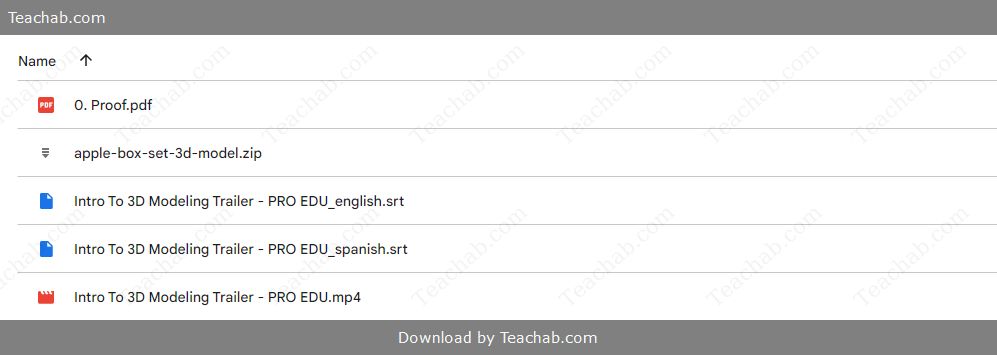
Check proof of content here:
In the fast-paced world of digital artistry and photography, the tools we utilize play a crucial role in shaping the creative process. Among these tools, the Apple Box Set 3D Model by PRO EDU stands out as a versatile and thoughtfully designed asset. More than just a digital prop, this model acts as a bridge between the physical studio environment and contemporary 3D workflows. Designed for those who prioritize realism and detail, it resonates with both seasoned professionals and aspiring hobbyists alike. This review takes a deep dive into its features, utility, aesthetics, pricing, and real-world performance to help creatives understand why this model is gaining traction in the creative industry.
Features of Apple Box Set 3D Model
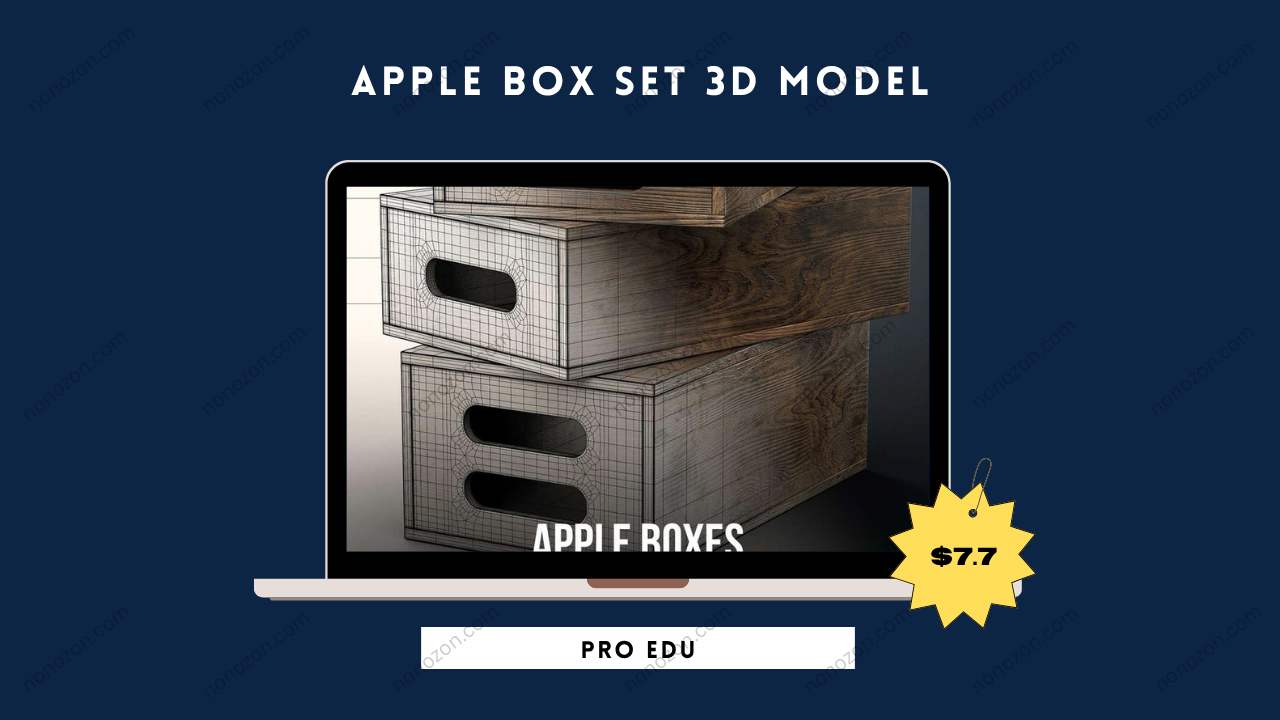
The Apple Box Set 3D Model delivers a variety of features that distinguish it in a competitive market. Emulating the authentic look and utility of traditional studio apple boxes, it brings a sense of tactile realism to virtual photography environments.
Texture and Material Quality
One of its strongest attributes lies in the attention to texture and finish. Rendered with a rich dark wood stain, the 3D model mimics real-life materials to a remarkable degree. This level of realism is essential in digital photography where material quality impacts how light plays across surfaces.
Thanks to high-resolution textures, the model enables nuanced light interactions. Much like how dappled sunlight through tree leaves adds depth in a photo, the Apple Box Set’s surface realism contributes to mood and spatial awareness in a render. These subtle yet vital effects help artists express their creative vision more vividly.
Versatility in Usage
A key strength of this 3D model is its multi-purpose functionality. It’s far from a static prop—its utility spans creative and practical applications.
Photography Applications: Ideal for both portrait and still life setups, the model supports imaginative posing and composition strategies.
Decorative Uses: When used in digital staging, the boxes add a layer of visual interest and depth that enhances the overall scene design.
Functional Props: Beyond aesthetics, these boxes serve a technical purpose—assisting in positioning models or objects at various heights for optimal shooting angles.
Compatibility with Software
The Apple Box Set supports multiple widely used file formats such as FBX, OBJ, and C4D, ensuring it integrates smoothly into platforms like Blender, Cinema 4D, and Photoshop.
Its software-agnostic nature means users can quickly incorporate it into their workflow without any steep learning curve or compatibility obstacles. This flexibility keeps the creative process flowing without technical disruption.
Instant Download Apple Box Set 3D Model by PRO EDU
Advantages for Photographers
Employing models like the Apple Box Set offers significant advantages for photographers. It elevates the quality of their work while simplifying the shooting process. Here are some transformative benefits:
- Enhanced Portrait Photography: The model allows for unique posing opportunities and creative versatility, offering photographers the chance to capture engaging and polished portraits. The stability and height adjustments further enhance the aesthetic of each shot.
- Utility in Still Life Shots: In still life photography, an apple box can function as a staging area, allowing for better focus on the subject. By providing support for various props, it creates a platform for interesting compositions that capture viewers' attention.
- Integration in Studio Settings: Within controlled studio environments, the box set can improve overall professionalism. It organizes spaces, facilitates smoother workflows, and empowers photographers to explore innovative setups that propel their craft to the next level.
- Educational Resource: As part of the PRO EDU ecosystem, this model comes with comprehensive tutorials that further enhance its appeal. Photographers not only get a high-quality asset but also learning tools to refine their technical skills.
Improved Efficiency: By providing tools that streamline the setup process, photographers can focus more on creativity, producing high-quality images without unnecessary technical headaches.
Enhanced Portrait Photography
In portrait work, these boxes offer creative leverage:
Pose Assistance: Use them to alter subject height or body angles for better composition and elegance.
Variety of Shots: Switch between box sizes to achieve unique perspectives or elevated framing.
Light Dynamics: Modifying a subject’s height relative to your lighting setup helps you control mood through shadow and highlight placement.
Utility in Still Life Shots
In still life photography, precision and detail matter. Here’s how the Apple Box Set contributes:
Composition Control: Stable platforms help stage props with care, leading to more refined compositions.
Flexibility: Experiment with layouts using different box configurations without physical constraints.
Subject Isolation: Strategic box placement can help draw focus to key elements in your scene.
Light Play: Using the box to block, bounce, or diffuse light provides greater control over visual storytelling.
Integration in Studio Settings
Within the studio, the model integrates smoothly:
Controlled Workflow: It supports custom setups for lighting and composition within studio constraints.
Professional Finish: Adds a layer of polish to your scene while reducing the need for post-edit corrections.
Space Optimization: Use different box sizes to create levels and enhance spatial design.
Lighting Precision: Serves as a modular light-control tool to create depth and visual separation.
Improved Efficiency: Reduce downtime adjusting setups by using the boxes for quick modifications.
Design and Aesthetic
The model isn’t just functional—it’s aesthetically refined. The Apple Box Set 3D Model successfully blends visual sophistication with practical utility, enhancing the compositional appeal of rendered images.
Visual Appeal in 3D Rendering
From a design standpoint, several elements elevate this model’s realism:
Authentic Design: Accurate scale and realistic wood texture anchor the model in real-world believability.
Material Dynamics: The quality of the digital wood grain allows for light behavior that mimics real-life studio conditions.
Visual Consistency: The boxes seamlessly blend into scenes without pulling attention away from your primary subjects.
Functional Design Elements
Thoughtful design enhances usability:
Multifunctional Tool: Use it across portraits, product shots, and video production environments.
Professional Finish: The dark stain feels high-end and matches modern studio aesthetics.
Adaptive Sizing: Available in multiple configurations (full, half, quarter), each box offers practical flexibility in scene building.
Customization Options Available
Customization strengthens its appeal:
Flexible File Formats: Various formats make importing to your software of choice simple and direct.
Editable Elements: Modify textures or scale within your 3D software to suit project-specific needs.
Scene Personalization: Select the box sizes and placements that align with your visual goals.
Pricing and Value
One of the standout aspects of the Apple Box Set is its balance between cost and value—especially given its quality and educational backing.
Cost Comparison with Other 3D Models
With a discounted price of 29,000 VNĐ, down from 99,000 VNĐ, this model is positioned competitively. Compared to similar offerings in the 22,000–78,000 VNĐ range, the Apple Box Set delivers a higher return on investment, especially when bundled with learning resources.
Membership Benefits for PRO EDU Users
Opting into a PRO EDU membership further enhances value:
Unlimited Educational Access: Dive into high-level training across multiple photography topics.
Asset Library: Download an expanding range of professional resources.
Device Flexibility: Access content from desktop or mobile with no drop in functionality.
Community Access: Join a vibrant network of like-minded creatives for feedback and collaboration.
Long-Term Investment for Photography Studios
For studios, this model—and the PRO EDU ecosystem—represent more than just assets. They’re part of a long-term growth strategy focused on raising production standards, refining skills, and improving client deliverables.
Performance in Practice
How does the Apple Box Set hold up during real use? The answer is: impressively well.
Rendering Speed and Efficiency
Performance-wise, the model is lightweight yet robust:
Fast Rendering: Optimized geometry allows for quick integration and scene rendering.
Visual Clarity: The dark stain design ensures the prop supports rather than distracts from focal points.
Workflow Compatibility: Its plug-and-play nature means minimal adjustment is needed between projects.
User Experience Feedback
Consistent praise from users highlights:
Ease of Integration: No steep learning curve—ideal for creatives of all experience levels.
High-Quality Finish: The texture detail elevates renders with minimal post-processing needed.
Time-Saving Asset: Reduces the need for physical props and time-intensive scene adjustments.
Real-World Application Scenarios
Photographers benefit from:
Virtual Practice: Great for testing compositions before real-world shoots.
Simulated Productions: Enables full-scene testing in digital environments.
Creative Collaboration: Users frequently share workflows and inspiration via community groups.
Tutorials and Learning Resources
A standout benefit of the Apple Box Set is its integration with PRO EDU’s extensive educational content.
Photography Tutorials Using the Model
Step-by-step guides help users master the model’s potential:
Setup Strategies: Tutorials explain how to implement the apple box effectively for poses and staging.
Creative Inspiration: Real-world use cases encourage creative experimentation and growth.
Skill Building: Tutorials help sharpen core composition and lighting techniques.
Video Guides for Setup
Clear video content helps ensure a smooth setup process:
Implementation Walkthroughs: See exactly how the model fits into studio environments.
Lighting and Editing Tips: Learn how to complement the model with smart lighting and post-production workflows.
Post-Processing Techniques
Post-production learning includes:
Detailed Editing Steps: Improve image quality from raw render to polished output.
Workflow Efficiency: Techniques designed to save time while improving results.
Professional Results: Helps elevate final image quality, boosting client satisfaction.
Customer Support and Community
The PRO EDU user experience goes beyond product delivery—it includes robust support and a collaborative network.
Access to Technical Support
Support resources include:
Multiple Contact Avenues: Direct support via email, plus active forums.
Knowledge Base: A detailed FAQ section ensures users can troubleshoot independently.
Expert Help: Access to seasoned professionals for guidance on complex workflows.
Engagement with User Community
Community interaction adds long-term value:
Experience Sharing: Creatives swap best practices and visual inspiration.
Feedback Channels: Suggestions often result in improvements and updates.
Brand Loyalty: A supportive ecosystem keeps users engaged and invested.
Feedback and Reviews from Users
Consistent praise includes:
Visual Impact: Users applaud how the model enhances the realism of their images.
Seamless Use: Many highlight how easy it is to integrate across platforms.
Community Support: The collaborative spirit of the PRO EDU network boosts learning and innovation.
The Apple Box Set 3D Model by PRO EDU is a top-tier resource for creatives serious about improving their visual output. With its exceptional realism, versatility, seamless software compatibility, and access to expert instruction, it becomes much more than just a digital prop—it’s a strategic addition to any visual creator’s toolkit. Whether you're refining your portfolio, experimenting with new setups, or streamlining your workflow, this model offers a clear edge in both performance and polish.
Related products
Creating a Visual Identity Manual from Scratch by Gilian Gomes
by Creating a Visual Identity Manual from Scratch by Gilian Gomes
$39.00
$7.70