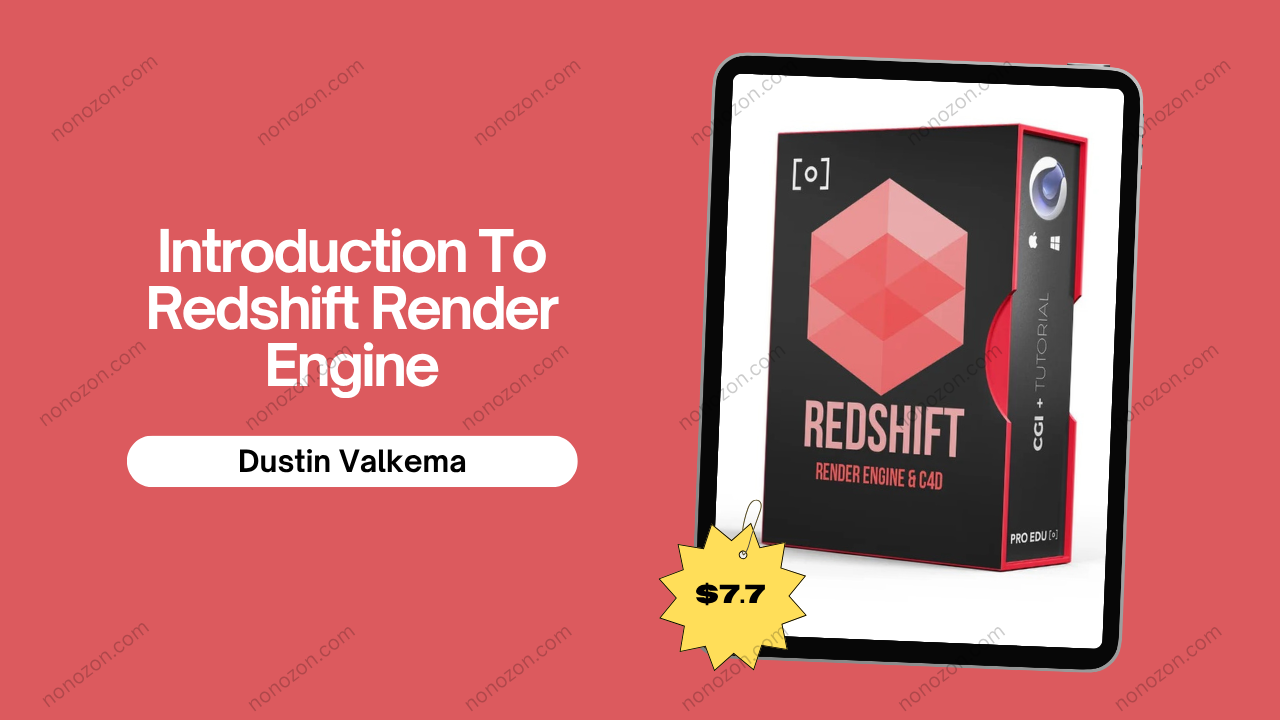
Introduction To Redshift Render Engine
by Dustin Valkema
Introduction to Redshift Render Engine by Dustin Valkema
Check proof of content here:
Dustin Valkema's review of the Redshift Render Engine shines a spotlight on a sophisticated, high-performance rendering solution tailored for 3D artists. As rendering technology continues to evolve, Redshift stands out by offering an impressive blend of speed, quality, and versatility, making it an ideal choice for those in motion graphics, visual effects, and design visualization. This GPU-accelerated engine not only caters to the needs of large studios but also provides independent artists with the tools necessary to bring their creative visions to life.
Valkema's in-depth analysis emphasizes Redshift's capacity to render photorealistic visuals at breakneck speed, allowing artists to refine their work without the burdensome wait times traditionally associated with CPU-based rendering. The integration of Redshift with popular 3D applications like Cinema 4D, Maya, and Houdini enhances its usability, creating a smoother workflow for artists accustomed to different tools. This review serves as both an introduction for newcomers to the software and a comprehensive guide for experienced users looking to enhance their rendering capabilities.
The review also highlights key features that define the Redshift experience, such as its biased rendering techniques, which optimize computational resources for faster results without compromising visual quality. Ultimately, Redshift proves to be a robust tool that adapts to a wide array of artistic needs, making it an exciting prospect for anyone involved in the world of 3D rendering.
Key Features of Redshift Render Engine
Redshift's reputation as a leading render engine is fortified by a selection of standout features that meet the demands of modern artists. The engine's architecture is optimized for speed and efficiency, directly appealing to users who value quick turnaround times in their projects. Key features include the following:
- GPU Acceleration: Redshift leverages the power of modern graphics cards to drastically reduce rendering times, enabling artists to generate complex scenes and animations with expedited output.
- Biased Rendering: This rendering technique allows for strategic sampling focused on critical areas of a scene, resulting in faster processing while maintaining high visual fidelity.
- Physically-Based Shading: Redshift incorporates sophisticated shading models that accurately simulate material properties and light interactions, essential for producing photorealistic results.
- Global Illumination Methods: Redshift supports various global illumination techniques, including path tracing and irradiance caching, enriching the realism of the final image.
- Volumetric Rendering: The engine offers robust volumetric capabilities, allowing artists to create effects like smoke, fog, and fire seamlessly.
- Multi-GPU Support: Users can harness the power of multiple GPUs to scale efficiency, particularly beneficial for handling complex scenes without sacrificing speed.
- AOVs (Arbitrary Output Variables): AOVs give artists granular control over render elements by outputting separate data channels, simplifying post-production adjustments.
- Seamless Integration: Redshift is compatible with major 3D applications, making it easier for artists to integrate rendering capabilities into their existing workflows.
This combination of features establishes Redshift as a formidable tool in the 3D rendering landscape, catering to diverse creative needs while ensuring that performance remains a top priority.
Instant Download Introduction To Redshift Render Engine by Dustin Valkema
GPU Acceleration and Performance
The hallmark of the Redshift Render Engine lies in its exceptional GPU acceleration, distinguishing it from traditional CPU-based renderers. Unlike its CPU counterparts, which often struggle with lengthy render times, Redshift utilizes parallel processing to capitalize on the capabilities of modern GPUs, resulting in rendering times that can be drastically faster. This speed doesn't merely grant a time advantage; it enables artists to iterate and refine their work in real-time an invaluable asset in fast-paced production environments.
To illustrate the difference: consider a scene that demands roughly eight hours of rendering on a CPU renderer. Such a task could take merely thirty minutes on Redshift with an equivalent GPU. This remarkable efficiency allows artists to produce high-quality images without the prolonged wait. Add to this the ability to preview changes instantly with the Interactive Preview Region (IPR), and it is clear why Redshift is a favorite among many artists looking for speed without sacrificing quality.
The adaptive sampling feature further enhances performance, allowing Redshift to dynamically adjust the number of samples taken in different regions of the scene. For instance, areas with intricate details may receive higher sampling, while simpler areas can require less all contributing to faster render times without sacrificing the final image quality. By smartly managing resources, Redshift maintains high fidelity while still optimizing overall performance.
Ultimately, the acceleration provided by Redshift positions it as a leading choice for artists who require both speed and reliability. In today's competitive creative environment, being able to produce stunning visuals more quickly allows artists to focus on creativity rather than technical limitations.
Biased Rendering Explained
At the heart of Redshift's efficiency is its use of biased rendering techniques, which strategically optimize how scenes are processed to enhance speed and responsiveness. Unlike unbiased renderers that strive for absolute accuracy at the expense of time, Redshift's approach allows for smart optimizations that focus on areas of greater importance, giving artists more control over rendering workflows.
One significant aspect of this biased rendering is Selective Sample Concentration, where Redshift directs computational resources toward the most visually critical aspects of a scene. For instance, when rendering a close-up of a character's face, Redshift can allocate more samples for that area while minimizing the detailing in distant backgrounds ultimately resulting in faster overall render times. This practice of concentrating resources not only enhances efficiency but also provides artists the flexibility to achieve desired aesthetics without unnecessary computations.
Another key technique is the Irradiance Cache, which simplifies the calculation of global illumination. By caching light calculations from select points in a scene and interpolating that data for surrounding areas, Redshift reduces the computational load needed during rendering. This method provides good results within a fraction of the time compared to traditional global illumination methods, allowing for greater creative freedom.
Though biased rendering might lead to minor inaccuracies compared to unbiased methods, it provides an impressive balance. With a focus on artistic direction and visual impact, artists can still achieve stunning realism while maximizing speed. This prioritization of artist workflow underscores why Redshift's biased rendering techniques earn significant praise from professionals across various industries.
Physically-Based Shading Techniques
In the realm of 3D rendering, achieving photorealism relies heavily on the physically-based shading (PBS) techniques employed by the Redshift Render Engine. Through PBS, Redshift elevates the level of detail and realism artists can achieve, effectively replicating how materials interact with light in the physical world.
Fundamentally, Redshift's physically-based shaders offer a comprehensive library tailored to replicate the properties of various materials. For instance, shaders that mimic metals, glass, or skin are finely tuned to simulate how these surfaces react under different lighting scenarios. By employing these advanced shaders, artists can easily create realistic surfaces that reflect light accurately, enhancing the depth and texture of completed images.
One standout feature within Redshift's PBS capabilities is Sub-Surface Scattering (SSS), which is essential for organic materials like skin and wax. This feature allows artists to adjust how light penetrates and scatters through these surfaces, effectively achieving the soft, translucent effects seen in real life. Redshift offers users a choice between Ray-Traced SSS for accuracy or Point-Based SSS for faster rendering, giving artists flexibility according to the requirements of their projects.
Moreover, Redshift supports multi-layer shaders, enabling artists to craft complex materials that require multiple texture maps. This capability allows for minute detailing and layering of textures, which are vital in achieving hyper-realistic looks. The ability to mix and match different material properties broadens the potential for creative expressions and unmatched visual storytelling.
Redshift’s commitment to physically-based shading techniques positions it as a powerful tool for any 3D artist, providing the necessary tools to push boundaries in visual design while maintaining a high standard of realism.
Integration with Cinema 4D
When it comes to integrating the Redshift Render Engine with Cinema 4D, the partnership creates an incredibly potent combination for artists. This collaboration streamlines the workflow, allowing designers to harness powerful rendering capabilities directly within an intuitive interface. With this integration, Redshift becomes an essential tool for motion graphics artists and visual effects creators alike.
Cinema 4D itself is renowned for its user-friendly design and robust set of tools, particularly its MoGraph functionality, which simplifies the animation of complex scenes. By integrating Redshift, artists can take advantage of high-quality rendering without leaving the familiar Cinema 4D workspace. This seamless workflow mitigates the typical friction associated with moving back and forth between different software platforms, ultimately enhancing productivity and creative exploration.
The introduction of the Node Editor in recent versions, such as Cinema 4D R26, further underscores the strength of this integration. The Node Editor allows for more complex shader creations and enhances users' ability to manage render properties intuitively. As artists navigate through their projects, attributing materials and lighting becomes more efficient and visually accessible. Redshift’s Interactive Preview Region (IPR) feature adds another layer of efficiency, providing real-time feedback of changes made to the scene, which is vital for expediting the creative process.
According to Dustin Valkema’s review, this integration proves invaluable for artists working on various styles from high-end photorealism to vibrant animations with Redshift’s performance enhancing the creative results. The capacity for customized rendering experiences tailored to specific project needs adds further prominence to this effective collaboration.
Seamless Workflow Between Redshift and Cinema 4D
The collaboration between Redshift and Cinema 4D results in a blissfully seamless workflow that primarily caters to motion graphics artists and designers. This synergy not only enhances the efficiency of rendering but also fosters a robust environment for creativity and speed. The native support for Redshift within Cinema 4D ensures that users can access all of its extensive features without complications or extensive additional set-up.
One of the clear benefits is the RenderView tool in Redshift. This interactive viewer allows users to see real-time updates as they adjust materials, lights, and camera settings. By enabling immediate visual feedback, artists can refine their scenes with greater control, drastically shortening the iteration time on designs. When users can adjust their settings and instantly see the effect, it fosters a more fluid creative process, letting inspiration flow more freely.
The integration also offers adaptive settings for render passes directly within Cinema 4D, enabling the artists to manipulate essential components like shadows, reflections, and global illumination without hassle. This accessibility empowers users to focus more on the artistic aspects of their projects rather than grappling with complicated rendering setups.
Additionally, with the ability to use Cryptomatte, users can easily isolate various objects in the scene for post-production without re-rendering. These qualities allow Redshift to effectively complement Cinema 4D's advanced features, yielding a powerful combination for both professionals and amateurs alike. Ultimately, the combined workflow between these two tools empowers artists to meet tight deadlines while maintaining high-quality output, illustrating how technology can enhance creative endeavors.
Essential Redshift Tools for Cinema 4D Users
For artists diving into the Redshift ecosystem within Cinema 4D, several essential tools significantly improve workflow, creativity, and the overall rendering experience. These tools are designed to streamline the rendering process and enhance the artistic output, making them invaluable for users:
- RenderView Interactive Preview: This tool provides dynamic, real-time feedback as artists adjust scenes. It simplifies rendering previews directly in the viewport, offering immediate visualizations, thereby accelerating scene setups and iterations.
- Physically-Based Shaders: Redshift’s comprehensive array of physically-based shaders allows artists to accurately render materials, giving them the flexibility to simulate the intricacies of various surface types, such as glass and metals, while maintaining realistic properties.
- Adaptive Sampling: The adaptive sampling feature automatically adjusts the number of samples per pixel based on the complexity of different areas of a scene, optimizing render times while preserving quality.
- Cryptomatte: With Cryptomatte, artists can easily generate per-object masks during rendering. This simplifies the compositing process, allowing for seamless isolation and manipulation of individual elements without the need for additional rendering passes.
- Distributed Rendering: Redshift supports distributed rendering setups, allowing multiple machines to collaborate on rendering tasks. This significantly reduces render times and increases efficiency for large and complex projects.
Utilizing these tools effectively enhances the rendering capabilities of Cinema 4D users, empowering them to create high-quality outputs more efficiently while leveraging the robust features offered by Redshift.
Compatibility with Other 3D Software
Redshift's versatility extends beyond Cinema 4D, showcasing compatibility with various other industry-standard 3D software packages. This ability to integrate seamlessly across platforms enhances workflow and accessibility for artists who use multiple tools. Here are some notable compatible software applications:
- Autodesk Maya: The integration supports a wide range of features, ensuring that artists working in Maya can access and utilize Redshift’s powerful capabilities within their existing projects.
- Autodesk 3ds Max: Redshift allows users to harness its speed and flexibility while using 3ds Max's robust modeling and animation tools, providing a cohesive workflow for designers.
- Blender: With dedicated plugins, artists using Blender can take full advantage of Redshift's rendering power, enabling seamless transitions between complex modeling and final rendering.
- Houdini: Redshift optimizes visual effects workflows in Houdini, giving artists the ability to combine procedural techniques with efficient rendering, making it easier to manage intricate visual projects.
- Katana: This compatibility ensures that users can manage advanced lighting and look development workflows within high-end production pipelines effectively.
- ZBrush: Integrating Redshift with ZBrush facilitates easier texturing and detailing, which is crucial for artists who want to render high-quality assets within their workflow.
Dustin Valkema’s review emphasizes Redshift’s speed and efficiency, noting how its cross-compatibility streamlines rendering for diverse professional applications. This flexibility makes Redshift an essential rendering solution for many artists, uniting various 3D disciplines under one cohesive tool.
Render Passes and Compositing
In the world of 3D rendering, understanding render passes and compositing is essential for achieving polished and professional-looking results. Redshift's AOV (Arbitrary Output Variables) feature plays a pivotal role in this process, allowing artists to separate different elements of their renders into distinct passes. This facilitates greater control during the post-production stage and enhances workflow efficiency.
Understanding Render Passes in Redshift
Render passes specifically, AOVs allow users to output various components of a rendered image as separate entities. Understanding how to effectively utilize these passes is crucial for an artist seeking to achieve nuanced visual effects during compositing. Key aspects include:
- Types of AOVs: AOVs can be categorized into Integrated AOVs, which capture distinct shading elements (like reflections and shadows), and Utility AOVs that hold non-beauty data (such as depth information or motion vectors). These categories enable artists to make targeted adjustments in post-production.
- Creating and Managing AOVs: Users can create AOVs in the AOV Manager within Redshift's render settings. This manager allows for straightforward additions, modifications, and deletions of AOVs, streamlining the rendering process by providing clear outputs for specific elements.
- Output Formats: Redshift supports numerous output formats for AOVs, including OpenEXR, TIFF, PNG, and JPEG. Selecting the right format is essential for post-production, ensuring that the required quality is preserved across different elements of a scene.
- Deep Output Capabilities: The ability to generate deep outputs allows depth information to be saved alongside regular AOVs. This feature can significantly enhance the capabilities of compositing techniques, offering greater fidelity when integrating various elements in complex scenes.
By mastering AOVs and render passes, artists can streamline their workflows while ensuring that they achieve high-quality results with flexibility and ease.
Techniques for Effective Compositing
Effective compositing techniques are essential for elevating rendered images from good to exceptional. Utilizing the capabilities provided by Redshift, artists can manipulate various rendering aspects to produce stunning final outputs:
- Render Passes: Redshift offers a comprehensive suite of render passes, enabling artists to separate key elements. Noteworthy passes include:
- Diffuse Pass: Captures base color without lighting effects, providing a foundation for color adjustments.
- Specular Pass: Isolates reflections and highlights, allowing independent control in post-production.
- Normal and Depth Passes: These contribute to manipulating the depth and 3D space during composition without requiring full re-renders.
- Lighting Techniques: In Redshift, effective lighting setups are crucial for achieving mood and realism. The use of area lights, spotlights, and HDRI lighting can contribute to nuanced environmental reflections, deepening the realism in composited scenes.
- Material Passes: Each material's properties can be broken into distinct passes, enabling precise adjustments. Ambient occlusion and material ID passes allow users to enhance the depth and definition of their compositions when combined.
- Practical Application: Tutorials by experts like Dustin Valkema can guide users through setting up effective lighting and utilizing render passes for detailed compositing. Practical demonstrations reveal workflows that reveal the intricacies of Redshift rendering techniques and how to navigate them effectively.
By employing these techniques, users can maximize their compositing efforts, enhancing the realism and emotional depth of their final images. Redshift’s capabilities not only streamline production but also empower artists to engage their audience through compelling visual narratives.
Lighting and Material Passes
Lighting and material passes are integral to the compositing process, especially in achieving photorealism in 3D renders. Redshift’s system allows for detailed manipulation and integration of these passes, providing artists greater artistic control over their final outputs.
- Render Passes Importance: Each material’s properties, when isolated in passes, allow for targeted adjustments. For example, artists can alter the ambient occlusion pass to enhance subtleties in shadows, adding depth to their scenes.
- Lighting Techniques: Effective lighting is paramount for realism. With Redshift, artists can configure diverse lighting setups using area lights and HDRI options to craft atmospheres that complement the narrative within their pieces. Adjusting light intensity and color dynamically provides wide-ranging effects on the overall composition.
- Material Pass Adjustments: Breaking materials down into individual passes allows users to layer different qualities; for instance, altering the material ID pass to tweak textures selectively can yield dramatic effects without re-rendering.
- Enhanced Compositing Workflow: By utilizing Redshift’s capacity for pass isolation, artists gain significant operational efficiency. Instead of re-rendering entire scenes for minor corrections, adjustments can be made in post-production, streamlining the workflow and conserving valuable time.
Ultimately, effective use of lighting and material passes serves as a fundamental pillar in producing high-quality, intricate 3D visuals. With Redshift’s capabilities, artists can ensure that their creative vision is conveyed accurately through the final images.
Advantages for Photographers and 3D Artists
The Redshift Render Engine presents a myriad of advantages for photographers and 3D artists, reflecting its design and functionality across different workflow needs. The following are a few crucial advantages:
- Speed and Efficiency in Rendering: One of the deciding factors in adopting Redshift is its incredible speed. Artists can expect render times that are significantly reduced compared to traditional CPU-based renderers. This acceleration is particularly beneficial when working with complex scenes or high-resolution imagery, drastically cutting wait times.
- Integration with Leading Software: Redshift's compatibility with major 3D applications, such as Cinema 4D, Maya, and Blender enhances its utility, allowing artists to remain within familiar environments without necessitating file exports for rendering. This seamless integration enhances workflow efficiency.
- Advanced Features for Post-Production: Features like AOVs and Cryptomatte provide artists with flexibility in the post-production phase, empowering them to make precise adjustments to elements of a scene without needing to re-render. This capability is invaluable for fine-tuning final images and maximizing quality.
- Scalability for Complex Projects: Redshift’s architecture allows it to handle large and intricate scenes with ease. This scalability ensures that whether artists are engaged in intricate product visualizations or expansive environments, they will retain both speed and quality.
- Creative Freedom: The blend of speed and technology fundamentally enables artists to focus more on the creative process. With Redshift, they spend less time waiting for renders and more time exploring their artistic vision, allowing for greater experimentation and development without deadlines constricting creativity.
In sum, the advantages that Redshift presents for photographers and 3D artists are significant. Its talent for optimizing rendering time and flexibility makes it a compelling choice for anyone within the creative community looking to enhance their workflow and outputs.
Speed and Efficiency in Rendering
One of the hallmark advantages of using the Redshift Render Engine lies in its unparalleled speed and efficiency in rendering. This critical characteristic is not merely a matter of convenience; it fundamentally transforms how artists approach projects and deadlines:
- GPU Acceleration: Redshift’s design exploits the massive parallel processing capabilities of modern GPUs, leading to rendering times that are many times faster than those achievable with CPU renderers. In practical scenarios, what might take hours with traditional methods can often be rendered in mere minutes using Redshift.
- Biased Rendering Techniques: Utilizing biased rendering, Redshift optimizes rendering processes by selectively prioritizing samples in areas with higher visual importance. This enables artists to attain professional-quality outputs significantly faster, allowing them to focus their efforts on creativity rather than technical constraints.
- Integrated Workflows: Redshift’s seamless integration with software like Cinema 4D removes the common friction artists encounter when moving between applications. Artists can render complex scenes in real-time, allowing for an efficient workflow that empowers creativity while maintaining momentum in production timelines.
- Adaptive Sampling: Redshift’s ability to adjust sampling dynamically based on scene complexity contributes to time savings while enabling high-quality output. By allocating more resources where they matter most, artists achieve clean images free from artifacts while still enjoying quick render times.
- Enhanced Productivity: For busy professionals, the speed of Redshift translates directly to enhanced productivity. Artists can complete more projects in less time, allowing for quicker client feedback loops and faster project turnovers. This is particularly beneficial in industries like advertising, where visual assets are constantly in demand.
Overall, the remarkable speed and efficiency of Redshift render it a top choice for photographers and 3D artists alike, allowing them to push boundaries while optimizing their workflow.
Achieving Realism in Visual Effects
Within the domain of photography and 3D artistry, the pursuit of realism in visual effects offers significant advantages, enhancing storytelling and audience engagement. As photographers and 3D artists aim for realistic depictions, tools like Redshift serve as pivotal resources in this endeavor.
- Captivating Visuals: Realistic images resonate more deeply with audiences, forging connections that evoke emotion. By employing Redshift's advanced rendering capabilities, artists achieve lifelike visual outcomes that captivate viewers’ attention, leading to more impactful narratives.
- Stakes in Industries: Realism is crucial across various fields. In advertising, high-quality visuals can amplify customer engagement and brand loyalty. Similarly, in architectural visualizations, realistic renderings enable clearer communication between stakeholders, bridging conceptual gaps and facilitating design approvals.
- Enhanced Decision-Making: For clients, photorealistic renderings offer clarity regarding design choices. By visualizing projects with utmost accuracy, clients achieve a comprehensive understanding of outcomes, allowing for informed decision-making that minimizes costly last-minute changes.
- Streamlined Production: Leveraging Redshift’s efficiency allows artists to produce realistic images swiftly, which is essential in fast-paced industries. The combination of high-quality results with quick turnaround times ensures that artists can meet challenging deadlines without compromising on visual fidelity.
- Facilitating Collaboration: In collaborative artistic environments, realistic visuals enhance communication among teams. When artists, designers, and clients can visualize the end product clearly, feedback becomes more constructive, ensuring that all aspects align with the creative vision from the outset.
Overall, Redshift's capabilities in achieving realism empower photographers and 3D artists to create compelling visual stories that deliver emotional resonance and foster clearer communication an invaluable advantage in today's visually driven world.
Simplifying Complex Scenes
The ability to effectively simplify complex scenes can yield substantial benefits for photographers and 3D artists alike. Simplifying scenes achieves not only smoother render processes but also enhances the clarity and focus of visual narratives.
- Visual Clarity: Within photography, reducing clutter within a frame directs the viewer’s attention to the main subject, ensuring a clearer narrative. In 3D artwork, streamlined scenes prevent distractions that could shift focus away from intended designs.
- Performance Optimization: From a technical standpoint, simplifying complex designs reduces polygon counts and optimizes rendering times. By eliminating unnecessary details, artists can achieve swift results, allowing for more exploration and iteration.
- Focused Creativity: By honing in on key elements within a scene, artists can concentrate their creative energy on crafting strong visuals that tell a cohesive story. This focus fosters creative exploration without being bogged down by intricate details.
- Dynamic Redshift Architecture: The architecture of Redshift facilitates the quick rendering of complex scenes, enabling users to test multiple iterations without enduring long wait times. This flexibility is invaluable when developing creative workflows.
- User-Centric Workflow: Tools like the Interactive Preview Region (IPR) empower artists to visualize changes in real-time, effectively allowing for immediate adjustments. This user-centric focus enables optimizing complex scenes without the delays often associated with traditional rendering techniques.
In conclusion, simplifying complex scenes allows photographers and 3D artists to enhance their work’s effectiveness while optimizing rendering processes. Redshift’s speed and capabilities significantly support this endeavor, enabling creators to focus on their artistic vision without unnecessary distractions or delays.
Tutorials and Learning Resources
For those eager to learn more about the Redshift Render Engine, particularly its integration with Cinema 4D, numerous tutorials and resources are available courtesy of experts like Dustin Valkema. These educational materials aim to enhance users' understanding and proficiency with the engine, ensuring they fully leverage its capabilities in their artistic workflows.
- Recommended Tutorials by Dustin Valkema: Valkema provides a range of tutorials that cover foundational aspects of using Redshift for effective rendering. His "Intro to Redshift Render Engine" tutorial offers a valuable introductory experience, laying the groundwork for beginners to grasp essential functionalities and the interface.
- Advanced Techniques: Tutorials such as "The best and fastest Redshift render settings to optimize" impart critical tips and tricks that empower new users to maximize their efficiency post-installation. These insights are crucial for anyone looking to jumpstart their journey into professional rendering with Redshift.
- Asset Management: "Introduction to Redshift Render Variables" offers users a comprehensive overview of managing assets, navigating menu preferences, and effective use of render passes. This foundational knowledge is vital for newer users to establish a confident and streamlined workflow.
- Visual Learning Approaches: For visual learners, tutorials like "Dustin Valkema’s Redshift Render View Overview Tutorial" provide practical examples of using various tools within Cinema 4D alongside Redshift, reinforcing concepts through hands-on demonstrations.
- Versatility: Such tutorials are accessible through various platforms, including YouTube and educational websites, ensuring that users at all skill levels can find the right resources to enhance their knowledge.
Overall, Dustin Valkema’s tutorials and other available resources foster confidence and creativity among Redshift users, allowing individuals to navigate the platform efficiently and achieve stunning results in rendering.
Community Resources and Documentation
For those seeking extensive community resources and documentation related to the Redshift Render Engine, several platforms provide valuable information. These resources not only assist beginners in mastering the software but also serve as references for experienced users aiming to fine-tune their skills.
- Official Documentation: Redshift offers comprehensive documentation containing detailed guides and best practices for utilizing its features effectively. This official resource is essential for navigating the engine’s capabilities and ensuring smart usage of available tools.
- Online Forums and Communities: Platforms like Reddit and dedicated 3D art forums host vibrant communities where users discuss tips, seek troubleshooting help, and share their experiences with Redshift. Engaging with these communities can foster learning and encourage collaboration.
- Tutorial Platforms: Websites such as PRO EDU and Udemy often present structured courses that cover a range of Redshift techniques, designed to cater to different skill levels. These courses are beneficial for gaining a deeper understanding of advanced rendering practices.
- YouTube Channels: Various YouTube channels dedicated to 3D art and rendering technology frequently provide insightful tutorials and tips for using Redshift. Following such channels allows users to stay updated on the latest developments and techniques.
- Third-Party Resources: Many third-party blogs and sites offer insightful articles on specific Redshift features, providing another layer of understanding. This wealth of information contributes significantly to the learning process, allowing artists to tailor their education around specific needs.
Engaging with these community resources prepares users to become proficient in Redshift, equipping them with the knowledge necessary to tackle various rendering challenges effectively.
Tips for Beginners in Redshift
For those new to the Redshift Render Engine, embarking on this journey can feel overwhelming, but several essential tips for beginners can help ease the learning curve:
- Familiarize Yourself with the Interface: Spend time exploring Redshift’s interface and its integration within your preferred 3D application. Understanding the layout and how the various components interact can significantly enhance your efficiency.
- Start with Basic Projects: Tackle simpler projects to understand the rendering process better. Gradually increase complexity as you grow more comfortable with the features and capabilities of Redshift.
- Utilize Tutorials: Take advantage of the extensive range of tutorials available, including those by Dustin Valkema and other educators. Structured learning can clarify the intricacies of using Redshift effectively.
- Experiment with Render Settings: Don’t hesitate to tinker with various render settings to see how they affect output. Understanding the interplay between sampling, lighting, and material properties will help you learn quickly.
- Engage with the Community: Participate in user forums and social platforms to connect with fellow artists. Networking can lead to valuable insights, troubleshooting assistance, and collaborative opportunities that bolster your learning experience.
- Practice Real-Time Adjustments: Utilize the Interactive Preview Region (IPR) feature to make real-time adjustments while rendering. This will deepen your understanding of scene construction and lighting, helping you to visualize changes instantly.
- Stay Updated: As updates and new features are continually added to Redshift, keeping abreast of these changes through the official documentation and community channels will ensure that you are utilizing the software to its fullest potential.
By following these beginner tips, users can effectively navigate Redshift's robust capabilities and begin producing high-quality renders while building their skills and confidence efficiently.
Troubleshooting Common Issues
Navigating the Redshift Render Engine may come with challenges, especially for newcomers. However, understanding common issues and troubleshooting methods can ensure a smoother experience while rendering.
Performance Tips for Optimal Rendering
- Adjust GPU Memory Settings: In the Render Settings, users should navigate to the System tab and set the memory percentage utilized by the GPU to around 60%–70%. This reduces the risk of running out of memory during rendering and helps keep performance stable.
- Check Driver Compatibility: Ensure that the latest compatible drivers for the graphics card are installed. Keeping drivers updated is essential for optimal performance, especially with new GPUs like the RTX series.
- Optimize Progressive Passes: During interactive rendering, reducing the Progressive Passes can significantly decrease render times. While lower settings yield quicker outputs, they might introduce noise, so finding a balance is key.
- Use Global Illumination Wisely: To configure the Secondary Engine for Global Illumination, switch to Brute Force for accurate lighting in high-detail areas. This adjustment typically enhances overall illumination quality without excessive processing.
- Manage VRAM Utilization: If multiple applications simultaneously access GPU resources while rendering, performance may deteriorate. Exclusively using Redshift can help maximize VRAM availability and ensure stable performance.
Common Setup Errors and Fixes
- Render Settings Issues: Verify that the appropriate rendering engine is selected (Production vs. RT), and check whether all settings are in line with project requirements. Incorrect configurations can hinder performance and render speed.
- License Verification: Make sure that you have a valid and activated license for Redshift. Licensing issues may restrict rendering capabilities, leading to unexpected behavior or limitations.
- Geometry and Textures: Ensuring that all geometry is clean and appropriately UV mapped is vital. Errors commonly arise from misshaped meshes or lost texture paths, so double-checking these elements can prevent rendering errors.
- Frame File Locking: If you receive alerts about frame file locks while rendering, it means that file access conflicts occur. Ensure no simultaneous processes are running and check for any lock files that may require manual removal.
- Monitoring Performance Variability: If performance consistently varies, it can be linked to scene complexity. Regularly evaluate and optimize your textures, lighting setups, and use Redshift’s denoising capabilities when needed.
By addressing these common issues proactively and employing troubleshooting strategies, users can enhance their overall experience with the Redshift Render Engine, leading to more productive workflows.
FAQs for New Users
- What should I do if my render keeps failing?
- Check your render settings and consult the console for any error messages. Make sure there are no frame file locking issues and that all assets are correctly linked.
- How can I improve my render times?
- Adjust your trace depth settings and enable adaptive sampling to find a balance between speed and quality. Simple changes can lead to significant improvements in rendering performance.
- Is it necessary to have a powerful GPU to use Redshift?
- While Redshift is designed to leverage GPU capabilities for speed, older graphics cards can still render. However, newer GPUs will enhance performance and efficiency significantly.
- How do I resolve issues with geometry in my scenes?
- Verify that your polygons are non-degenerate and UV maps are assigned properly. Errors often occur if polygons are malformed or paths to textures are incorrect.
- How can I get started with learning Redshift?
- Start with basic projects and use tutorials to familiarize yourself with the interface. Engaging in community forums can also provide valuable insights and learning opportunities along the way.
By addressing these frequently asked questions, new users can navigate their initial experiences with Redshift more effectively, allowing them to focus on their creative endeavors.
Future Developments and Innovations
As the 3D rendering landscape continues to evolve, the Redshift Render Engine is poised to grow alongside emerging technologies and industry demands. With innovative features expected to roll out, Redshift aims to remain a leading choice among rendering solutions.
Upcoming Features in Redshift
Anticipated updates in Redshift are set to include:
- Non-Photorealistic Rendering (NPR): New features supporting stylistic render outputs will allow artists to break from photorealism, fostering more creative freedom in the visual narrative.
- Enhanced Volumetrics: Upcoming updates will improve the handling of volumetric effects, making it easier for creators to implement realistic fog, clouds, and other complex atmospheric effects within their scenes.
- Improved GPU Support: Additional optimization and compatibility for AMD graphics cards signal Redshift’s commitment to accessibility, widening its user base and ensuring versatility across hardware.
- Streamlined Area Light Management: Enhanced alpha mask support for Redshift area lights will facilitate easier adjustments to light settings during rendering, providing artists with more flexibility during the creative process.
- Cinema 4D Deep Integration: As Redshift is now the default render engine in Cinema 4D, users can expect a more unified and hassle-free experience when importing content from various formats, such as OBJ, FBX, GLTF, and USD.
Trends in GPU Rendering Technology
The realm of GPU rendering technology is rapidly advancing, influenced by the following key trends:
- Performance Enhancements: The introduction of advanced GPUs, such as NVIDIA's GeForce RTX 40 series, is likely to yield significant performance gains in rendering speed and efficiency, allowing artists to work at unprecedented levels of productivity.
- Machine Learning Applications: Expected advancements in machine learning could automate complex rendering tasks, optimize resource allocation, and reduce noise, significantly enhancing rendering speed and quality.
- Cloud-Based Rendering Solutions: As cloud computing capabilities expand, an increased focus on cloud-based rendering may become popular, allowing users to utilize powerful remote resources without local hardware limitations.
- Support for Real-Time Ray Tracing: Enhancements in real-time ray tracing technology may allow artists to adjust elements on the fly, delivering immediate feedback and facilitating a more fluid creative process.
Enhancements for User Experience
Future developments will also address enhancements to the user experience within Redshift, focusing on:
- Refined User Interfaces: Continuous improvement of user interfaces aims to create a more streamlined, intuitive experience for artists, facilitating better navigation and efficiency during the rendering process.
- Documentation and Tutorial Accessibility: Increased availability of comprehensive documentation and tutorials ensures that users of all skill levels can quickly find the information they need, enhancing their learning experience.
- Customization and Automation: Further development in automation and customizable scripting tools (e.g., Python) will empower users to adapt the engine to their specific workflows and preferences for optimal productivity.
- Community Engagement: Continued efforts to build engaging community platforms around Redshift will lead to shared knowledge, resources, and user-generated content that supports collaborative learning.
Dustin Valkema’s introduction to the Redshift Render Engine illustrates the importance of ongoing innovations and enhancements. As the industry evolves, Redshift remains committed to maintaining a position at the forefront of rendering technology, catering to the increasing demands of visual artists and enabling them to push the boundaries of creative expression.
In summary, Redshift's dynamic evolution and focus on user experience exemplify its commitment to empowering 3D artists with the tools they need to create stunning, high-quality visuals.
In conclusion, Dustin Valkema's review of the Redshift Render Engine captures the essence of a powerful tool that balances speed, quality, and versatility. By delving into its core features, integration capabilities, and tutorials available, it becomes clear that Redshift is not merely a rendering engine but a gateway for artists to realize their creative visions efficiently and effectively. As technology continues to advance, Redshift is poised to grow alongside its users, continually enhancing the rendering landscape and paving the way for innovative artistic explorations.
Related products
Landscapes with Oil Pastels and Crayons: Playing with Light
by Clara Debray
$39.00
$7.70
Retro Character Design for Animation
by Venturia Animation Studios
$39.00
$7.70